https://www.cmegroup.com/content/dam/cmegroup/images/common/default/article-brightcove-1440x500.jpg

Delegated Intermediary – Tiered Credit Account Structure
Create Delegated Intermediary – Tiered Credit sub accounts
With Delegated Intermediary - Tiered Credit, a Delegated Intermediary (DI) onboards their own customers and manages credit risk on CME Direct for both electronic trading (CME Globex) and Blocks (CME ClearPort).
Steps to Setup Delegated Intermediary sub account:
To set up a Delegated Intermediary sub account, the owner firm will need to be registered with CME Group.
If a firm is not registered, they must visit www.cmegroup.com/clearport/registration and have a risk admin register for Account Manager.
Locating Delegated Intermediary account in Account Manager
1.Log in to CME Account Manager
2. Go to “Account” tab
- Set Clearing Member = Clearing Member company name
- Delegated Intermediary (DI) Account Enabled = Yes
- Click Search

3. Click on the account number to view the details and create sub accounts
Create sub accounts
1.Click on “Create New” at bottom of page

- Name the account. The account name is at the Delegated Intermediary Trader Risk Admin’s discretion.
- Add description of account. The description should reflect what the account will be used for
- Assign an ”Owner Firm” (this is the customer who will be using the account for clearing); this firm must be a registered with CME Group
2. Click the Green check to save
Set credit limit for sub account
1. Click on the Account Number to set credit limits on sub account
2. Click on “Credit Control Info”
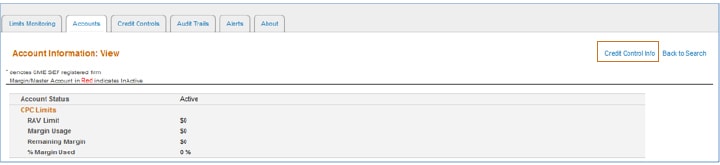
3. Click on “Edit”

4. Enter RAV limit
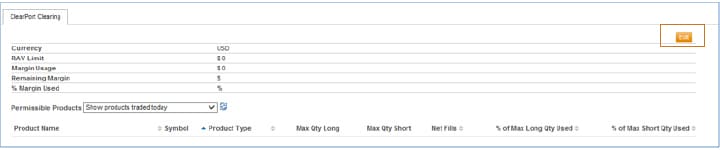
5. Manage individual products or set all product limits to “unlimited”
- Changing the position limit to zero at a product level restricts products at the sub account level
6. Hit Submit
Notify customer of account details
Contact the onboarding team at EASE.AtYourService@cmegroup.com with any questions.