
Easily access SOFR futures and options on CME Direct, CME Group’s fast, secure and highly-configurable trading front-end.
Find steps below for information on how to add 1- and 3-month SOFR outright futures and options, calendar spreads and intercommodity spreads between SOFR, Eurodollar and Fed Funds futures to your CME Direct screen.
SOFR Home
Return to the SOFR homepage for more information regarding contract specs, educational resources, and more.
You have two options for adding SOFR on your CME Direct screen.
Current CME Direct users can import the trading grid populated with SOFR futures and options contracts and spreads by following these simple steps:
1. Right click on any or all of the grids below and save the .xml file to your computer (e.g. save to desktop).
2. In CME Direct, navigate from the Menu button at the top to “Import View”.
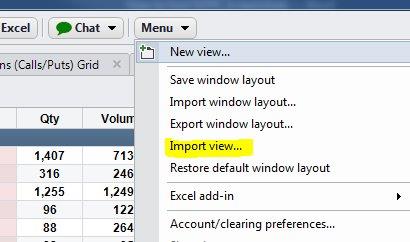

3. This will open up a dialogue box where you can navigate to where you saved the xml file.
4. Click on the relevant .xml file and select "open" to import the new view into CME Direct, which will contain a configuration similar to the below image:
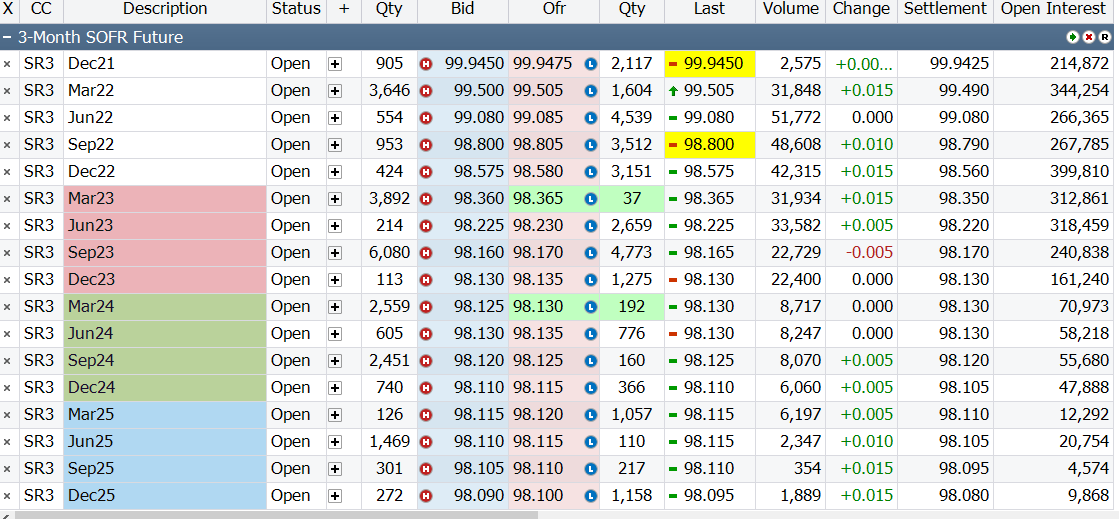
Importing a new trading grid will not interfere with any previously established configurations.
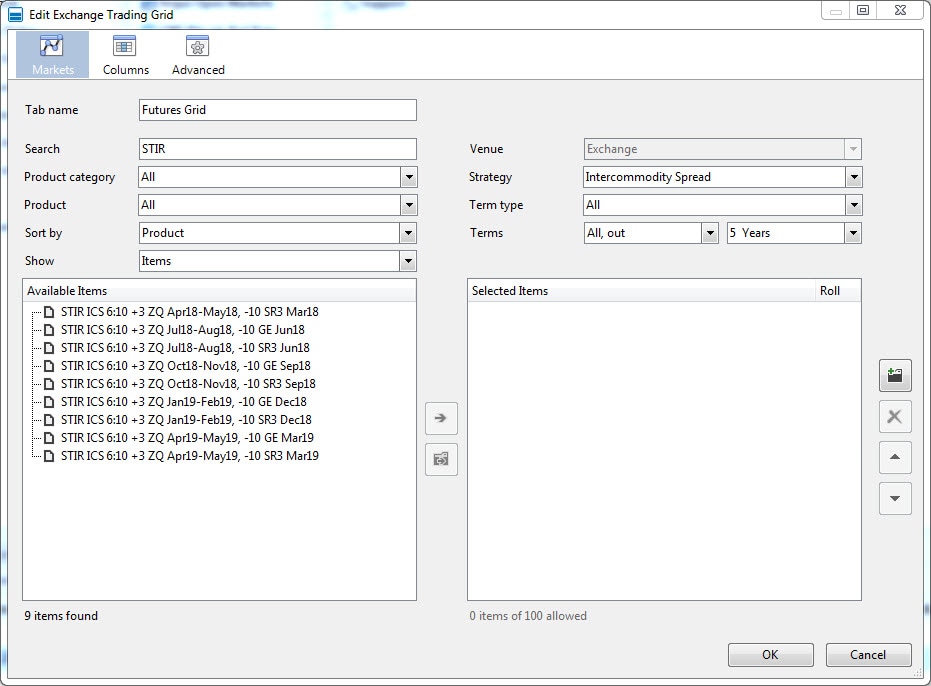
To view SOFR products, you can set up a new futures grid or add the contracts to an existing futures grid. Do this by right clicking on the new or existing grid and selecting, “edit view.”
See the below screenshots of a CME Direct screen for details on how to find each product.
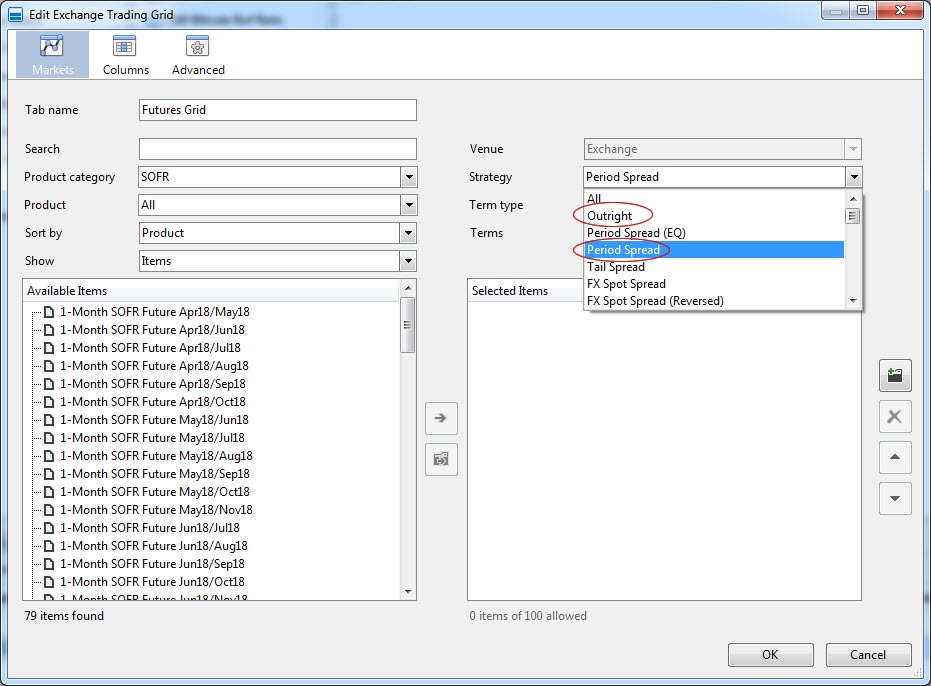
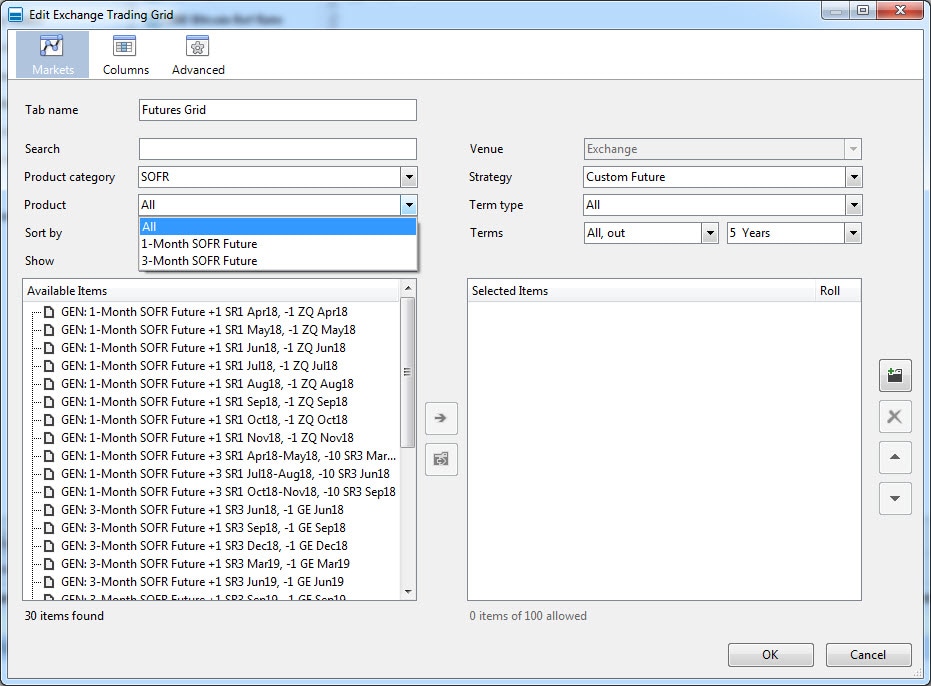
You have two options to get started today with CME Direct
Contact Platform Solutions Team
Email Us


© 2026 CME Group Inc. All rights reserved.