User Help System
Navigation
The CME Direct Mobile interface defaults to display Market view.
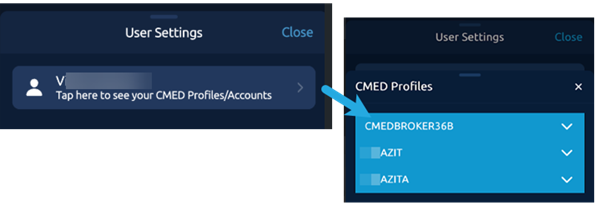
Select the User Setting icon to view CME Direct Profiles/Accounts, select font size, initiate a tour of the application, access Tools and logout of the application.

User Settings
Review your access and select a trading profile from CMED Profiles/Accounts
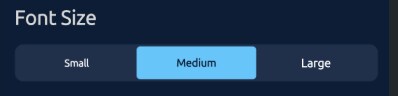
Font Size
Options to change the display font size, Medium is the default.
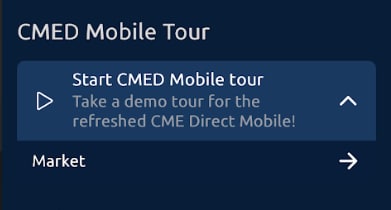
Tour
For more information on CME Direct Mobile features, click the drop-down arrow and then click to enable any item from the list.
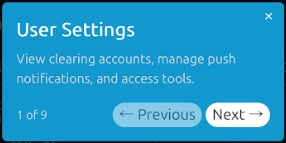
From the pop-up window, select Next to tour a new feature.
Accessing Views
Views offer specific functions and features: Market, Options, Orders, Positions, and More (Block Trades, QuikStrike).
- To Access a View:
From the Menu/Toolbar at the bottom of the screen, select a view.



