User Help System
Editing / Deleting iLink Order Entry Session (IDs)
From the iLink Session page the following functions can be performed.
The ability to perform advanced function is determined by a users assigned permissions. Authorized users can delete sessions at the primary or secondary firm at which they are authorized.
- From the Futures & Options Order Entry / iLink Sessions page, select the blue linked Session ID.
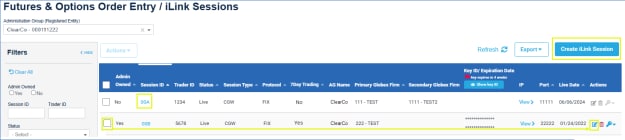
or, select the checkbox for the session, then select Edit ( ).
).
Editable fields include:
Primary Globex firm, Secondary Globex Firm, Front End System, Live Date, Business Rationale/Background
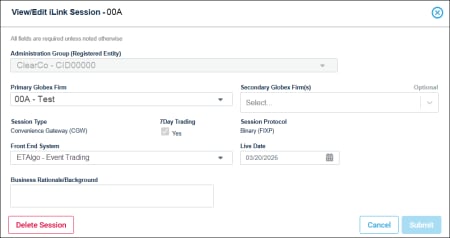
- When complete, click Submit.
The update is sent for processing and upon completion an email and communication center message is sent to the requestor.
- Requests submitted before 12:00 p.m. CT are validated, processed and will be effective the same business day.
- Requests submitted after 12:00 p.m. CT will be effective the next business day.
Deleting Order Entry / iLink sessions
Authorized users, at the primary or secondary Globex firm, can delete iLink sessions at the same primary or secondary Globex firm.
- From the Futures & Options Order Entry / iLink Sessions page, select the blue linked Session ID.
or, select the checkbox for the session, then select Delete ( ).
).
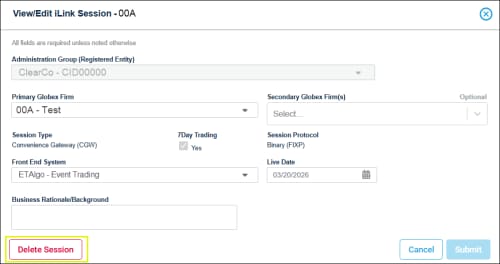

Deletions are queued for weekly processing on Friday at 4:00 p.m. CT.
-
After submitting, the My Requests (ESS) status indicates In Progress.
-
Once finalized the status changes to Completed.
If a session is deleted by mistake, contact Global Account Management.


