User Help System
Adding or Viewing a New CUSIP/ISIN
Add or view a new CUSIP/ISIN in CME Asset Management.
Navigate to the Asset Management menu.
- To add a new CUSIP/ISIN:
- From the Asset Management main menu, select New.
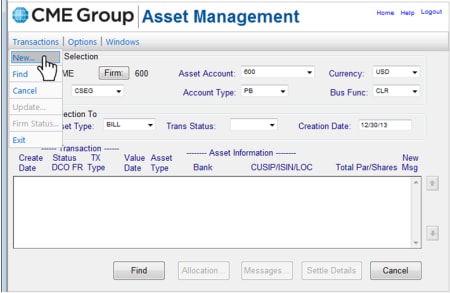
The Asset Type Selection window displays.
- Select the CUSIP button or the ISIN button to add a new CUSIP or ISIN.
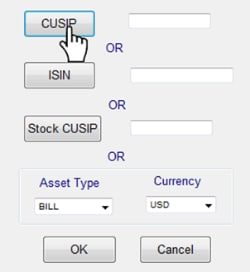
The CUSIP/ISIN Transactions screen displays, containing the selected information.
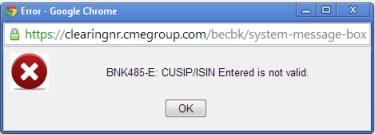
Note: If a CUSIP/ISIN is entered manually (instead of selecting the button), and does not exist in the Asset Management System, the following error message appears:
- Select the New CUSIP button or the New ISIN button to add a new CUSIP or ISIN.
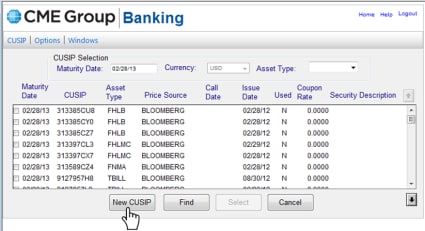
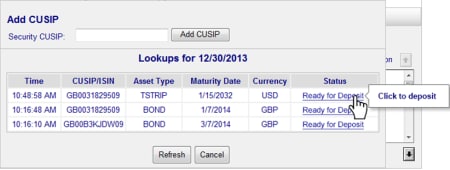
- The Add CUSIP/ISIN window appears. Type in the CUSIP/ISIN and select the Add CUSIP or Add ISIN button.
If you still have questions, please call or email CME Clearing for more detailed information:


