User Help System
Getting Started
Trade Activity Dashboard, powered by Quant Analytics, offers unique insights into EBS referential data for global FX participants. This dashboard provides a view of EBS Market trade activity data for all major markets, plotted on graphs along with EBS Market bids/offers.

Key User Information
- Timeframe for data can be changed using the zoom feature for additional granularity.
- Prices and Trades are aggregated into time buckets which adjust according to selected timeframes. Maximum allowed time resolution is one second.
- Bid/Ask prices reflect prices at the start of every time bucket.
- Trades are aggregated by volume weighted price into corresponding time buckets according to direction and segment.
- Depending on selected timeframe, bubble sizes will adjust to represent volume of the trade flow per time period relative to other trades in displayed timeframe.
- All times are shown in UTC, all data is pre-cached for the week, so that switching between currencies and dates is fast.
- Users can quickly choose default time periods.
- Provides the high and low traded price, bid and ask. The High EBS Trade and Low EBS Trade values are calculated from trade data and may differ to the official high/low calculated by EBS
- Shows the price points traded down the minute and across the whole trading day.
- If there is either not enough EBS Market activity to create an order book, trades will be plotted by time.
Login and Logout
Prior to logging in to the dashboards users should ensure they have a CME Group Login and have completed the Quant Analytics Client Registration Form for entitlements and have been approved for access.
To login to Trade Activity dashboard:
1. Go to https://login.cmegroup.com/
2. If you are not already logged in, enter your Email / User ID and password, then select LOG IN.
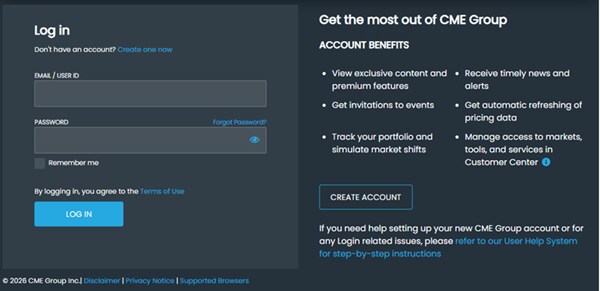
3. Complete 2-factor authentication either via Duo or enter the code that was sent to your mobile device or primary phone.
4. Go to > Apps & Analytics > Smart Insights Platform > Trade Activity

To logout of Trade Activity dashboard:
The session will expire automatically after a period of inactivity.


