User Help System
Audit - ERM
Use Audit - Entity Risk Management (ERM) function to view an audit trail of administrative activity, policy, product, quantity and trade type restriction updates.
This function is also used to view an audit trail from Dashboard - Today's Account Activity - Credit Controls.
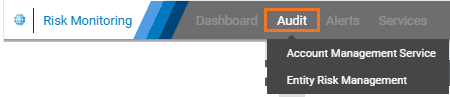
- From the Audit menu, select Entity Risk Management.
- From the Audit Type field, select either:
- ICC Policy and Alerts: View audit trail for entity-wide administrative policy and alert updates.
- Unregistered Accounts
- Unset limits
- Covered strategies: Futures and futures with options
- Globex ICC Alerts: Audit trail of threshold alerts
- ICC Product Restriction Policy: View audit trail of product restriction updates
- User Max Qty Limit: View audit trail of CME Direct user limit updates
- Trade Type Restriction: View audit trail of trading firm trade type restriction updates
- Spot FX: View audit trail of limits, linked trading firms, alerts threshold emails
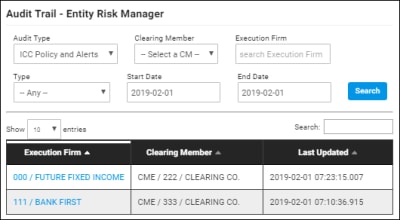
- ICC Policy and Alerts

Clearing Member: Select from clearing members you're authorized to view.
Execution Firm
Type: Select from available account details; ICC Policy, ICC Alert Threshold, ICC Alert email
Date: Select the start and end date to monitor; default is today.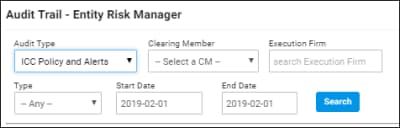
ICC Product Restriction Policy
Clearing Member: Account Owner.
Execution Firm
Date: Select the start and end date to monitor; default is today.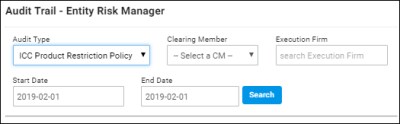
- User Max Qty Limit
Clearing Member
User Name
Change Type: Select from available account setup details; User Max limits Account, User Max Qty Limits.
Date: Select the start and end date to monitor; default is today.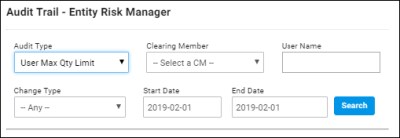

- Trade Type Restriction (TTR)
Clearing Member: Select from clearing members you're authorized to view.
Type: (default) Block trade.
Date: Select the start and end date to monitor; default is today.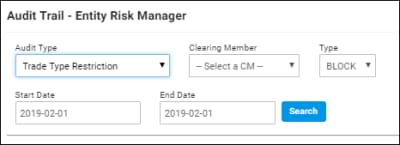
- Spot FX
Spot FX Firm
Trading Firm
Type: Limits, Linked Trading Firms, Alert Threshold / Email
Date: Select the start and end date to monitor; default is today.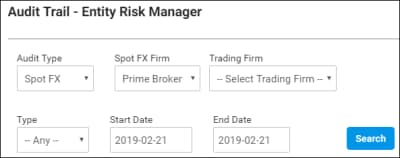
- From the search results that appear below, select the Firm, User or Clearing Member to view audit trail details.
- ICC Product Restriction Policy: Redirects to ERM - CME Globex Product Restriction functions.
- User Max Qty Limit: Redirects to ERM - User Max Qty Limit functions.
- Trade Type Restriction: Redirects to ERM - TTR functions.
- Spot FX
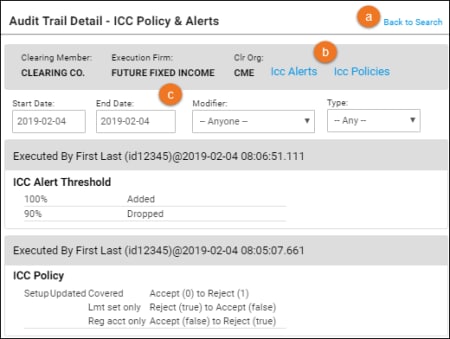
- From the audit trail detail page, the following is available:
- Back to Search: Goes back to search results.
- Link to ERM: View and manage entity settings.
- Modify Search: Using the original criteria as a basis, perform a new or more detailed search.