User Help System
Delete Notifications
Executing and carrying firms can delete notifications from the Notifications page.
Note: Notifications are automatically deleted after seven business days.
- To delete a notification
- Search for notifications.
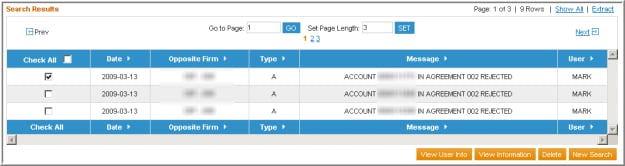
- Select the check-box for the notification(s).
Note: If Check All is selected, only the rows currently displayed on the page are selected.
- Select Delete.
A pop-up message displays.
- Select OK.
Note: The notification is removed from the list, but no confirmation message is sent.


