User Help System
Notification Search
You must search for notifications before you can view / modify, delete, or view information for them.
- To search for notifications:
- Select Notifications,

or select the new notifications indicator on the homepage:

- Enter the Search Criteria.
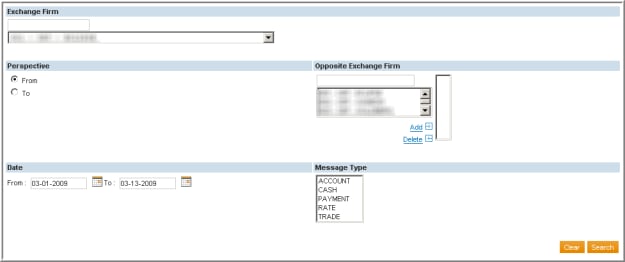
- Select Search.
Search Criteria
| Field | Description |
|---|---|
|
Exchange Firm |
(Required) All of the firms for CME Group and CBOT that you have authority to view. Enter the 3-digit firm id into the text box or make a selection in the drop-down. |
|
Perspective |
(Required) Choose the “From” or “To” perspective. |
|
From |
Notifications sent from other carrying and executing firms |
|
To |
Notifications sent to other carrying and executing firm |
|
Opposite Exchange Firm |
(Required) The firm to which the notification message is addressed. |
|
Date |
Specific date(s) of notifications. |
|
Message Type |
(At least one required) Message type.
|


