User Help System
Unmask Session ID Password in FADB
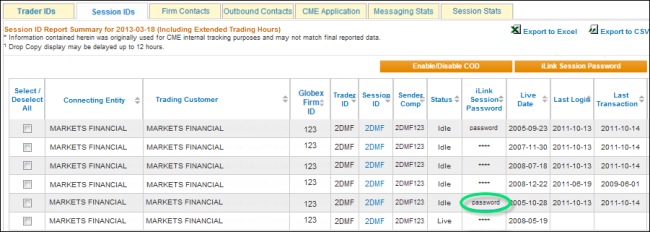
Clearing firm administrators and Globex firm users use this function to unmask iLink session passwords for iLink sessions.
- Search for a Globex Firm.
- Select the Session IDs tab.
- Move the mouse pointer over iLink Session Password.

- Select Unmask Session Password.
A login dialog appears.
Note: User re-authentication is required to access this highly sensitive functionality.
- Enter your CME Group Login ID and password, then select Submit.
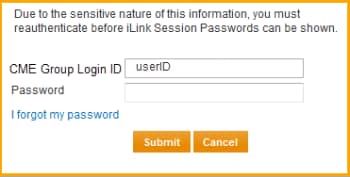
Upon re-authentication, active session passwords that you are authorized to view are unmasked.
iLink session passwords are masked when any of the following occurs:
- User is not authorized to view session ID password for a particular Globex firm
- Session is not active
- Browser is refreshed
- User logs out and logs in again
- System timeout