User Help System
View Clearing Firm Contacts
The firm contacts functionality is used to view clearing firm contacts.
- To view a Globex Firm’s assigned clearing firm contacts:
- Search for an Globex Firm.
The Search Globex Firm screen appears.
- Select the Firm Contacts tab.
The following information appears on the page:
|
Column |
Description |
|---|---|
|
Name |
Name of the registered contact. |
|
CME Group Login Contact |
Profile information as registered in CME Group Login. |
|
Firm Contact Type |
Specifies the type of contact:
Note: For additional information see Globex Customer Roles and Entitlements. |
- To view a user's profile, select their name.
Note: Globex Firm users can only view their own profile. Links to other user profiles are disabled.
Selecting a user's profile displays GCC and CME Login ID contact information and registration details.

- Firm Contact - System entitlements for firms for which the individual is a clearing firm primary, secondary or risk admin. is included on this page.
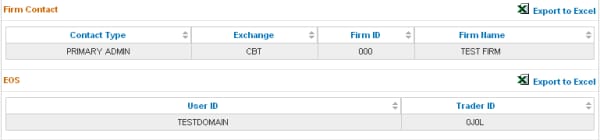
- To view privileges for a particular system, select a Trader ID.
Note: The ability to view trader ID details is determined by assigned system privileges.
Information appears in a new tab.


