User Help System
Editing Previously Allocated Trades
The Prev Alloc checkbox on the search form will allow the User to correct / update a previously allocated transaction.
Reallocation Screen with Previous Allocation Selection
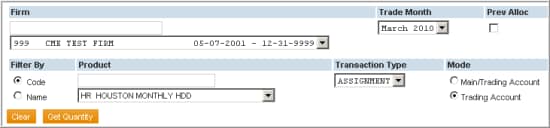
- Search Criterion for Previously Allocated Transactions:
- Select the Firm.
- Select the Prev Alloc checkbox.
- After selecting the Prev Alloc checkbox, the Trade Month and Process Month will be displayed, defaulting to the current month. The trade month denotes when the original trade was cleared while process month denotes when the original allocation was processed. For instance, if a January 2010 Exercise was allocated in February 2010, the User must select January 2010 as the trade month and February 2010 as the process month.
- Continue to select the Product, Transaction Type and Mode (By Main / Trading Account or Trading Account).
- Enter the Account Number (trading account) to which the transactions were previously allocated.
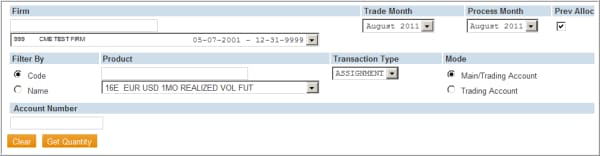
- Select the Get Quantity button to obtain the results based on the criterion selected in Steps 1-5.
The results will display in the same format as if the transaction had never been allocated.
- To complete the reallocation, follow the steps for Performing Allocations.
Note:
- The entire quantity from the Previous Allocation Account must be reallocated.
- If designating a new account for a partial quantity, the remaining quantity must be allocated back to the original account.
- If the entire quantity is not reallocated, the remaining quantity will be assigned an unallocated status.


