User Help System
Editing an Adjustment
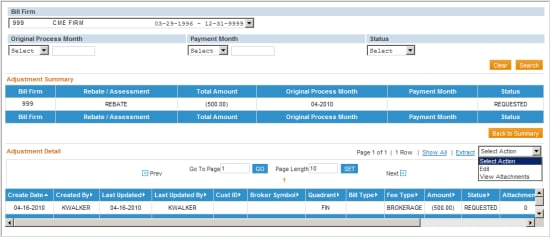
To edit an adjustment, complete an adjustment search. The Adjustment Summary will display the adjustments matching the search criteria entered.
- Click the line item to edit. The Adjustment Detail will display.
- Select Edit from the Select Action drop-down list.
- Click the line item to edit in the Adjustment Detail section.
The User will be redirected to the ‘Create/Edit Adjustment’ screen. Enter the updated information and click the Update button.
A confirmation message appears as a banner.

- To add an attachment click the Attach button.
For additional details, refer to section Adding an Attachment.


