User Help System
Market Data Card
The Market Data card displays a summary of the current or previous trading date Market Data, with information such as:
- Current best price
- Absolute Low and High: Highest and Lowest rates dealt in a currency pair
- Market Low and High: Highest and Lowest rates dealt that meets the quantity criteria within 2 minutes interval; quantity criteria is defined centrally per currency pair
- Net Volume Flow (NVF): Aggressive Buys (Paid) minus aggressive Sells (Given) from beginning of the Trading Date
- Last Paid and Given Price
- Open and Close for the Trading date
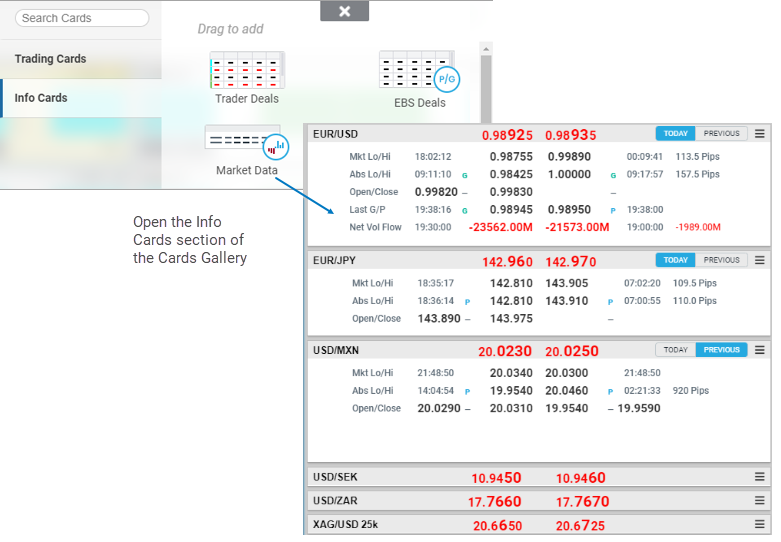
Add the Market Data Card to a Workspace from the Info Cards section of the Card Gallery at the top of the screen. As with other cards, Market Data Cards can be dragged and dropped anywhere in the Workspace.
More than one Market Data card can be added to a Workspace, with each card displaying a different currency pair.
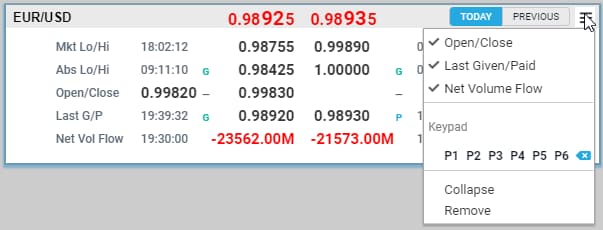
Configure each card to display different elements of Market date. By default, Market Low and High information displays. Open/Close and Last Paid/Given rates can also be displayed. Collapsed cards display current Best Price only.
Use the Today/Previous button to toggle between the current and previous date.

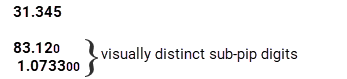
Note: Sub-pip prices can be set to be appear visually distinct in EBS Deals, Trader Deals, and Market Data information cards.Refer to General Preferences > Market Card – Price Display Options for more details.
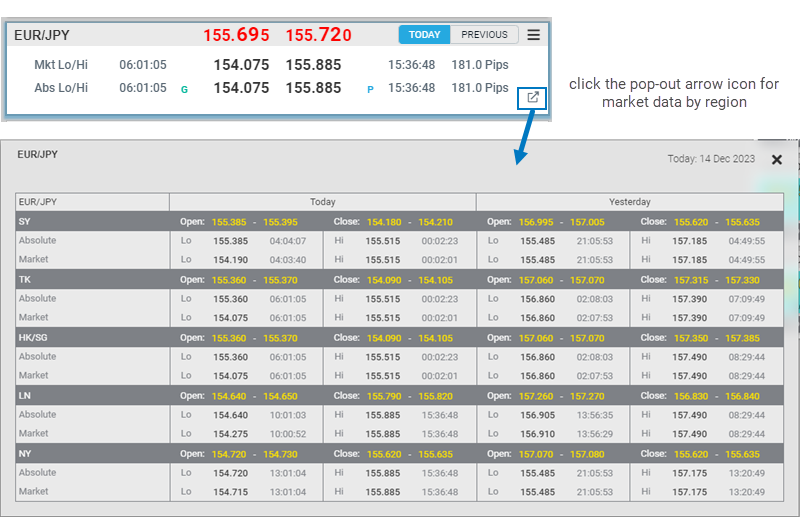
Regional Market Data
To view market data displayed by region, click the pop out arrow icon.