User Help System
Connecting with Modern Authentication (OpenID)
Connecting through Modern Authentication (OpenID) allows log in authentication directly through the CME Group website.
Benefits to Modern Authentication:
- uses DUO for authentication
- can enable login through federation with your credentials at your own organization (separate setup required)
- can pass the credentials to other applications inside of CME Direct
Note: Modern Authentication requires DUO setup for your CME Group Login ID.
- To enable Modern Authentication:
- On the log in screen for CME Direct enter your username and select Use modern authentication.
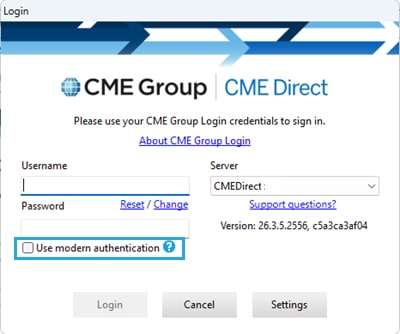
- Select Login.
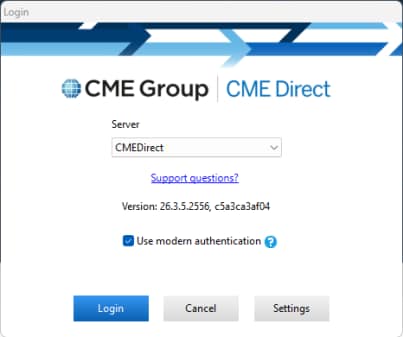
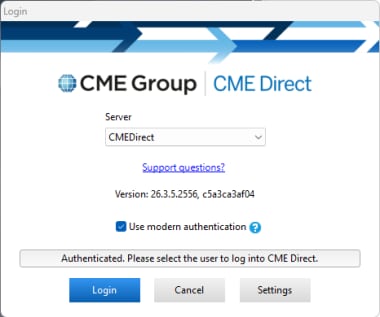
- A new log screen appears with confirming authentication.
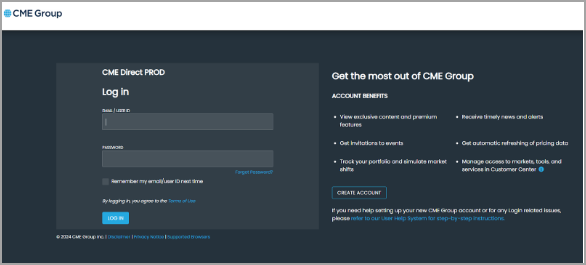
- Enter your credentials on the CMEGroup.com site that loads.
Note: This step may be skipped in subsequent login attempts and will remember you for 7 days.
- If successful the following message displays in the browser, and CME Direct connects.



