User Help System
Certification Testing
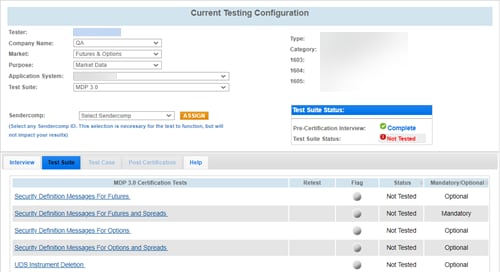
The appropriate certification test links are available after completing the interview. The Status column indicates whether a test has not been performed (not tested), completed, pending, or failed.
See also: Troubleshooting Tips
- To run a certification test:
- Select a test link.
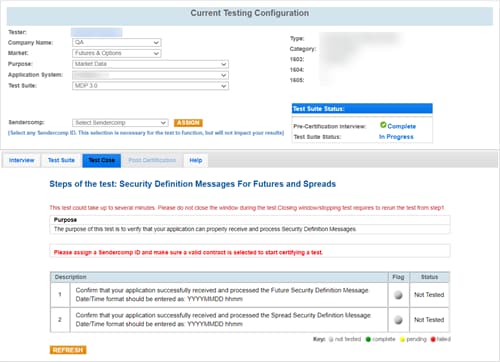
The test case appears, listing the purpose, description, and status of the test.
- If applicable, select a SenderComp and click ASSIGN.
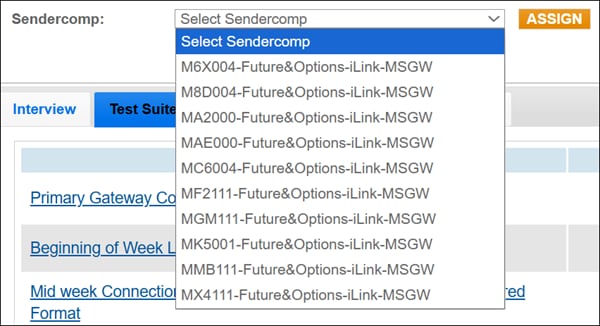
Note: If there are no SenderCompIDs listed, create a SenderComp (GFID + Order Entry Session ID + Fault Tolerance Indicator) for the environment in which you are testing. A separate SenderCompID is required for New Release environment and Certification environment.
To view instructions for creating and managing SenderComp IDs see:
- Futures and Options
- BrokerTec
- EBS
Before the test is started, a different SenderCompID can be unassigned and another re-assgined.

- Select Unassign.
- Select a new SenderCompID.
- Select Assign.
- If applicable, select an identifier and click ASSIGN.

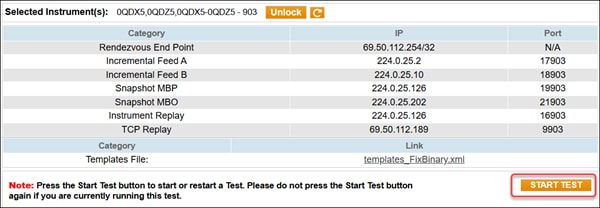
- Select an instrument and click Select.
Note: Once selected, these instruments are locked and cannot be used by other users.

- The instrument details are listed beneath the selection.
- To chose another instrument, select Unlock.
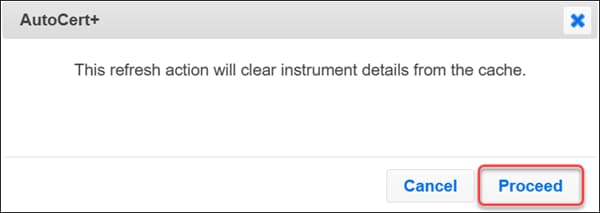
- If you are working with CSET and they instruct you to remove instruments from the ACPWeb Cache, select the refresh button, review the pop-up window, and select Proceed.

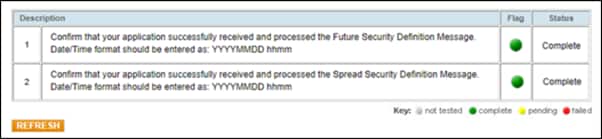
- The status column indicates whether a test has not been performed (not tested), complete, pending, or failed.
Note: You can now perform the test in your certification environment using the session ID you were provided.
- Select START TEST.
Note: DO NOT click START TEST once the test is in progress.
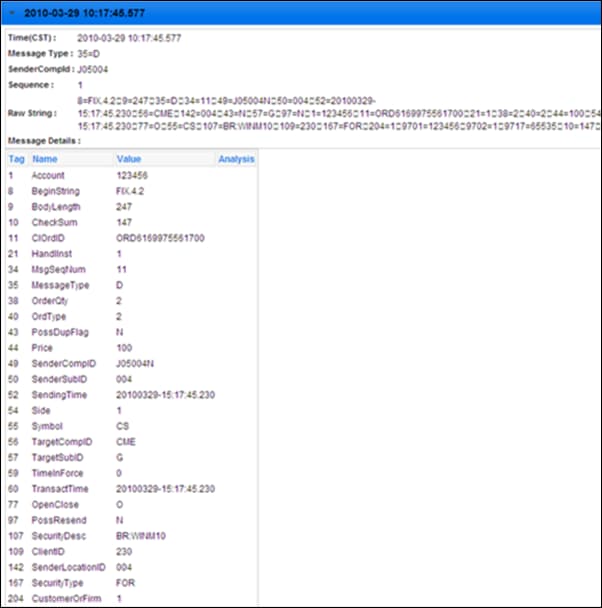
- Next to each step in the test case, you can select the flag to view the log information for that step.
The log information appears.
Note: If a test is not proceeding to the next step, clicking the Refresh button ( ) below the test steps may resolve the issue.
After a certification test has been attempted, you can retest it by clicking the Retest button. Choosing this option overwrites the current test results.


