User Help System
Depositing to a New CUSIP/ISIN
After adding a new CUSIP/ISIN, make any necessary deposits.
- To deposit to a new CUSIP/ISIN:
- From the Add CUSIP/ISIN window, view the Status in the appropriate column.
- If the status reads "Ready for Deposit," select the link to deposit.
- If the status reads "Processing," manually select the Refresh button.
- If the status reads "Rejected," then CME does not accept that particular security. Mouse over the "Rejected" Status to get a reason for the rejection.
Note: The request might take up to five minutes to process.
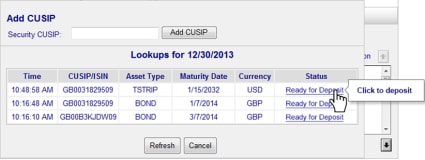
The Securities Transaction Maintenance window displays.
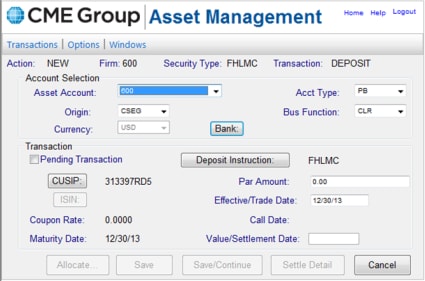
- When at the deposit stage, proceed as usual in the Asset Management system.
- If you encounter any errors, mouse over the status to read the error message reason.
If you still have questions, please call or email CME Clearing Financial for more detailed information:


