Tool Navigation

Trade Activity Dashboard allows access to a variety of currency pairs, including the top 10 G10 pairs, silver and gold, and emerging market pairs. There is a drop-down menu where you can choose the subgroup to view.

Once you have chosen a subgroup, the pairs will appear in a line across the top and the user is able to quickly switch between currencies. For example, if top 10 pairs are selected then they will appear as below, and the active pair is highlighted by a blue line (EURUSD below)

The box on the right-hand side of the screen also allows a dropdown menu of currency pairs and the white box allows you to type in the pair you are looking for.

Users can easily choose default time periods:

  • Last Hour
  • Last 4 hours
  • Today (GMT day)
  • Reset to full day (zooms from the period selected to that day’s full range)
  • Rest to Full Week (zooms to the last week)


It is also possible to select a specific time period by entering a start date and an end date as shown below – 20/9/21 – 27/9/21

A full screen view is as below:

The following example looks at EURUSD activity over the last FOMC meeting across September 21st/22nd. This is often an event that spurs trading activity and this time investors were waiting to hear what the Fed had to say about the upcoming path of the US economy.

The below shows the trade activity dashboard for EURUSD over the period of 20/9/21 -27/9/21

Bubble sizes adjust to represent volume of the trade flow per time period relative to other trades in the displayed timeframe, and the green and red bubbles represent the trade volumes on EBS Market. As you can see, the bubbles are considerably larger around the lead up to the Fed meeting announcement, which was at 7pm GMT on Wednesday 22nd September. This uses a granularity of 30 minutes and allows an effective quick look comparison of trade activity across the event compared to the rest of the week.

If we zoom in on the timeframe around the event, we can get a closer look at the data.


Overall, there appeared to be more buying leading up to the event (larger green bubbles from 18:00GMT) on EBS Market, followed by selling just before, in to and after the announcement (larger red bubbles from 18:38GMT). This uses a granularity of 10 seconds; however, the tool has access to granularity down to 1 second. The chart also shows trading at all price points (no gapping) highlighting the strength of liquidity and showing EBS market bid-ask reactions to larger trades provide a resilient marketplace.

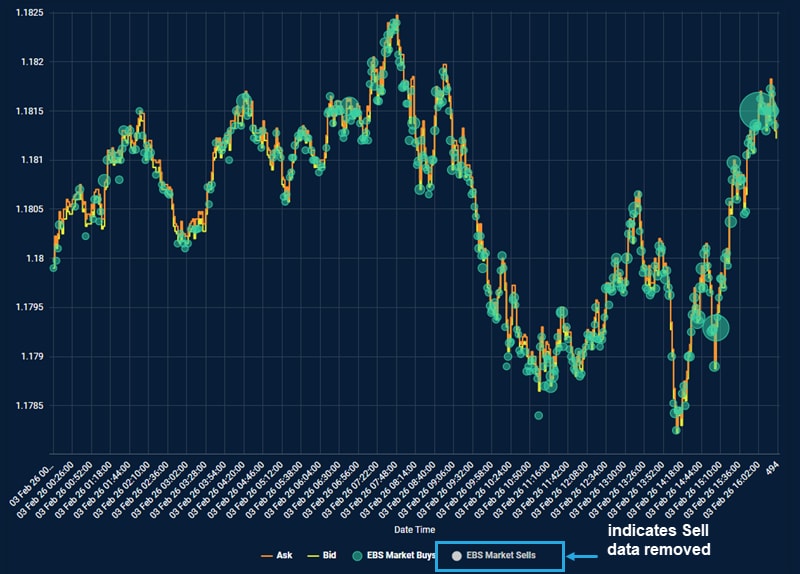
Most of the volume went through on the EBS Market platform, and if we wanted to only view the activity on one platform, a double click on the icons will remove them – for example, in the screenshot below, EBS Direct data has been removed completely.

The blue box along the bottom underneath the chart shows the granularity used, the high of the EBS Market trade, the low of the EBS Market trade and the same for the EBS Direct platform. It also shows the top and bottom 5m VWAP, for extra detail. So, for example the high on the EBS Market platform was 1.17555. The Price Points Traded metric also shows the % of price increments traded within the daily range.

The above is just one example of how the tool can be used to look at and monitor trade activity for intraday/intraweek TCA purposes or volatility in volumes and pricing across market moving events with access to primary market bid-ask spread data. It also allows analysis of complimentary data across both platforms – EBS Market and EBS Direct. The market bid-ask reactions to the larger trades that went through across the FOMC meeting market event shows that EBS provides access to resilient markets, by providing optimum liquidity in market stressful events.