User Help System
View Messages from the Carrying Firm Perspective Only
- To view messages on a rejected account:
- Check the box of the line item to view.
- Select View Messages.
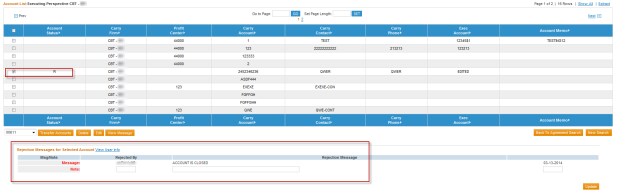
After selecting the line item you wish to view, you will be able view the message that was entered for the rejected account.
Note: This is a read-only view.
- To override the message, refer to the Accept / Reject Account topic.


