User Help System
Delete Profit Center
Once you have received a list of profit center search results on the Profit Center page, you can delete profit centers.
- To delete a profit center:
- Search for profit centers.
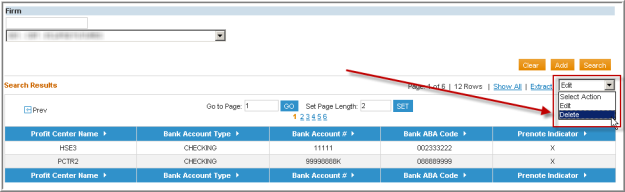
- From the Select Action drop-down, select Delete.
- Select the line item you wish to delete.
- A pop-up message displays asking if you really want to delete this Profit Center.
- Select OK.
Note: You can only delete a profit center that hasn’t been associated with any agreements and/or accounts. If you attempt to do this, an Error message will display.


