User Help System
Basic Search
You can search for transactions from the Transaction Viewer tab.
Note: If a specific criterion is not selected when multiple criteria are available, the search will return results for all of the listed criteria. For example, if no selection is made under Status, transactions with Accepted and Rejected statuses will be returned.
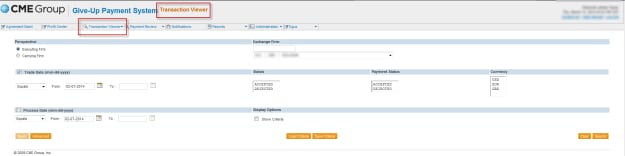
- To perform a basic search:
- Select Transaction Viewer.
- Select View Trades.
- Provide the necessary Basic Search Criteria.
- Select Search or proceed to the advanced search.
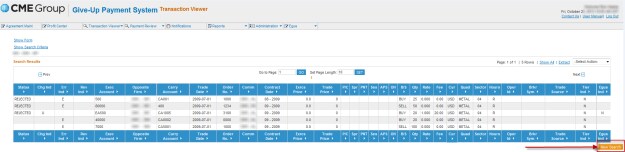
Results are shown with trade details
Basic Search Criteria
|
Perspective |
(Required) Indicates whether results for executing firms or carrying firms will be returned. |
|
Exchange Firm |
(Required) Contains the firms for CME, CBOT and OCC that you have authority to view. Enter either the 3-digit firm id into the text box or make a selection in the drop-down list. |
|
Trade Date |
(Required) The date the transaction took place.
|
|
Process Date |
The date the trade was last processed in GPS. |
|
Status |
(Not required) Indicates whether transactions were Accepted and / or Rejected. |
|
Currency |
The currency of the transaction (USD, EUR or GBP). |
|
Show Criteria |
(Not required) Show Criteria displays your search criteria above your search results. |


