User Help System
Kill Switch Legal Clearing Entity Reports
Kill switch reports show all firms killed for a Legal Clearing Entity (LCE).
Note: If an LCE has been selected previously in any section of Risk Management Tools, the report will automatically populate with kills for that LCE.
- To view a Kill Switch report for an execution firm:
- From the CME Group Risk Management Tools window, select Reports>Kill Switch> Firm Kill Switch,
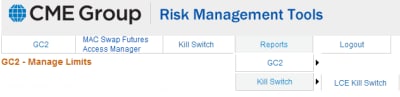
The Kill Switch - Legal Clearing Entity page displays.
- Select a firm from the Legal Clearing Entity drop-down box. Report populates.
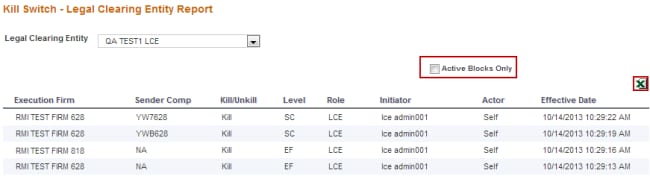
- To view active blocks only, select Active Blocks Only.
- To export to an Excel spreadsheet, select the
 icon.
icon.


