User Help System
Messaging Efficiency Program in FADB
This functionality is used to submit Messaging Efficient Program requests for waivers if a customer feels there is justification for exceeding the messaging threshold.
- From the Messaging Program tab, select Request for Waiver.

- Enter at least one search criteria:
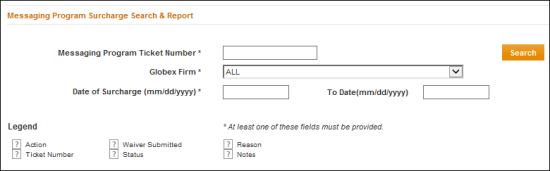
- Messaging Program Ticket Number - The ticket number is in the surcharge notification email.
- Globex Firm
- Date of Surcharge (To / From)
Note: Moving the mouse pointer over the  symbol, on the Messaging Program page, displays descriptions of search results columns as tooltips.
- Select Search.
Results appear in a list below.
Request a Waiver
- Search for a Messaging Program Ticket.
- From the Search Results, select Create.

- Complete the following fields:
- Reason for Waiver Request
- E-Mail address
- Steps to prevent future events
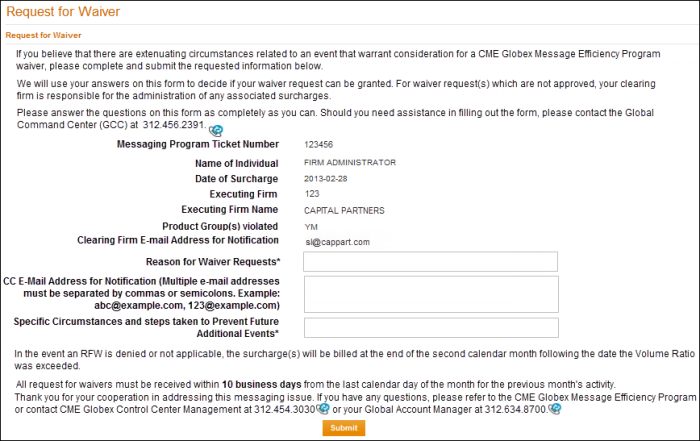
- Select Submit.


