User Help System
MEP Contact Management in FADB
The contact management functionality is used to add or delete MEP contacts for a clearing or Globex firm. This feature is available to clearing firm and FADB administrators only.
- To assign a Contact to a Globex Firm:
- From the Administration tab, select MEP Contact Management.
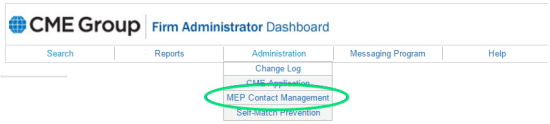
The Assign Contact page appears.
Note: Moving the mouse pointer over the  symbol, on the Assign Contact page, displays descriptions of MEP contacts as tooltips.
All fields are required.

- Select the Contact Type.
- Select a Globex Firm.
- Select an Exchange.
- Enter the user’s CME Group Login ID.
- Enter the user’s CME Group Login Token.
- Select Submit.
- To delete a contact:
- From the Administration tab, select Contact Management.
- Select the Manage MEP Contact tab.
- To find a user, select filter options:
- Contact Type
- Globex Firm
- Exchange
- Select Search.
Results appear in a list.
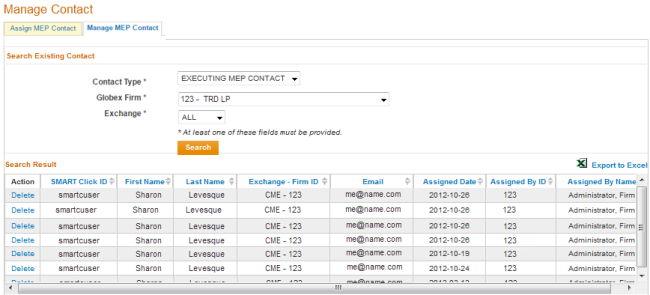
- To delete the user from the Globex Firm, select Delete.


