User Help System
EFS Homepage
Once successfully logged in to the application, the EFS Homepage appears. The CME Group fee team utilizes this screen to communicate important messages to the Users. Information on this page is subject to change, but will display such items as the Fee Schedule, Banking Schedule, Contact Information, System Availability, Glossary of Terms, Non-Trades Commodity Code list, etc. Based on entitlements, firms will be able to access CBOT, CME, DME, and/or NYMEX/COMEX.
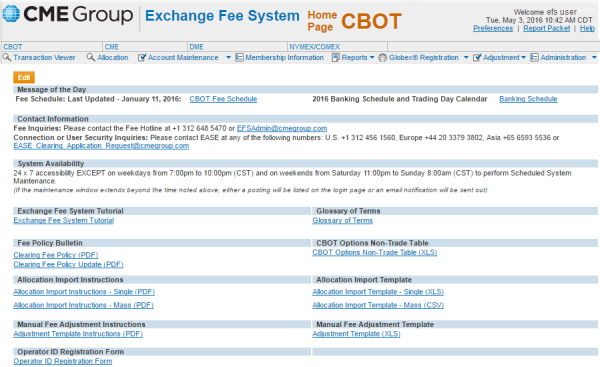
The Exchange Fee System offers 24x7 accessibility with the exception of week days from 7:00 to 10:00 p.m. (CT) for scheduled maintenance. If the maintenance window extends beyond this time, a message will be listed on the home page.
Navigation within EFS is driven by the top menu bar. The user first selects the appropriate Exchange, and then within that Exchange, selects the appropriate function to be performed.
Select the CME Group logo in the top left corner to be redirected to the CME Group website (www.cmegroup.com).

Select the Exchange Fee System logo at the top of any page to be redirected to the homepage of that Exchange.



