User Help System
Errors in Selecting Search Criteria
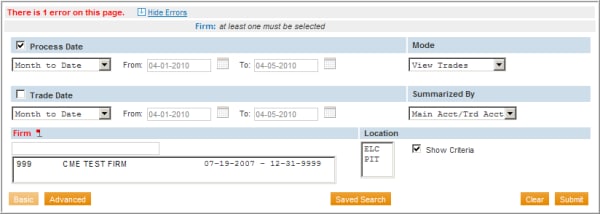
When executing a search, if there were any errors made in selecting search criteria, a message will appear in red at the top of the page stating the number of errors identified.
- A red flag will also display next to the field(s) containing the error(s).
- To see detailed information about the error(s), click the Show Errors hyperlink at the top of the Transaction Viewer.
- The details of the error(s) will then be displayed at the top of the page, and changes can be made to the search screen to correct the error(s).
- To hide the error details, click the Hide Errors hyperlink.