User Help System
Changing BUY/SELL Order Type
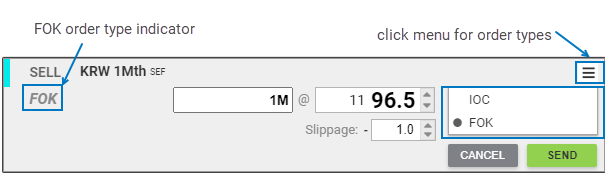
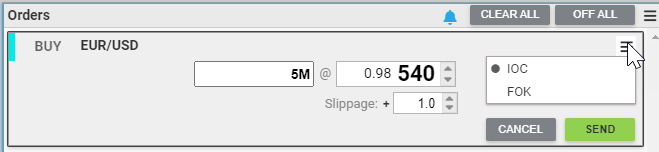
BUY/SELL orders can be submitted as with either two types of time in force instruction:
- IOC (Immediate or Cancel): order is executed all or in part immediately
- FOK (Fill or Kill): order is executed immediately and completely or not at all
Change the BUY/SELL order type either by selecting appropriate type from the order form menu with their mouse, or by using <shift>+<dynamic summary> shortcut keys of the EBS Keypad.
The default order type can be configured for each pair in the Instruments tab of User Preferences.
Note: IOC order forms do not have a visual indicator.
Submitting/Aborting a BUY/SELL Order
The following rules apply:
- Submit a Buy/Sell Request as an IOC or FOK order when no Error message displays, by pressing <send> on the Keypad or clicking SEND.
- To abort the workflow and close the BUY/SELL Request Form, click CANCEL.


