User Help System
Ordering CME Group Market Data APIs
The CME Group Market Data APIs page provides customers with easy access to discovering and subscribing to CME Group real-time and historical market data. Data is available across REST and Websocket APIs on a monthly subscription basis.

On the CME Group Market Data APIs page, customers can subscribe to the following:
- CME FedWatch API: Accesses rate probability for upcoming Federal Open Markets Committee (FOMC) meetings along with historical rates.
- Real-Time CME Term SOFR Benchmark via REST API: Provides access to a daily set of forward-looking interest rate estimates, calculated and published for 1-month, 3-month, 6-month and 12-month tenors in real-time, along with a complete history of CME Term SOFR Reference Rates.
- Real-Time Futures & Options Data via Websocket API: Accesses real-time market data feeds for CME Group exchanges (CME, CBOT, NYMEX, and COMEX).
- To order Market Data APIs
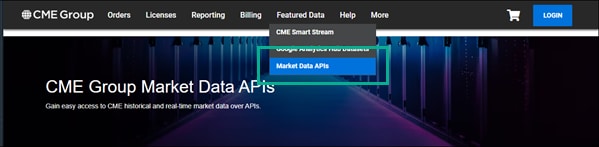
- Log in to the CME Group Data Services Portal and select Featured Data > Market Data APIs.
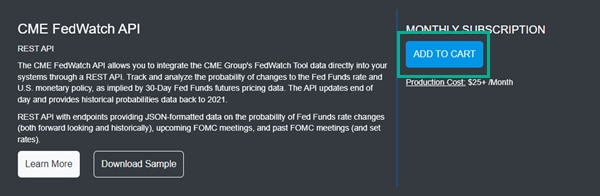
- Select Add to Cart for a market data access product or subscription (e.g., CME FedWatch API).
When subscribing to a Market Data API, consider the following:
- If you are subscribing to Real-Time Futures & Options Data via Websocket API, subscribe to the Certification environment, first, before subscribing to Production.
- If you are subscribing to Real-Time CME Term SOFR Benchmark via REST API, you must first be licensed for CME Term SOFR - Non-Display data.
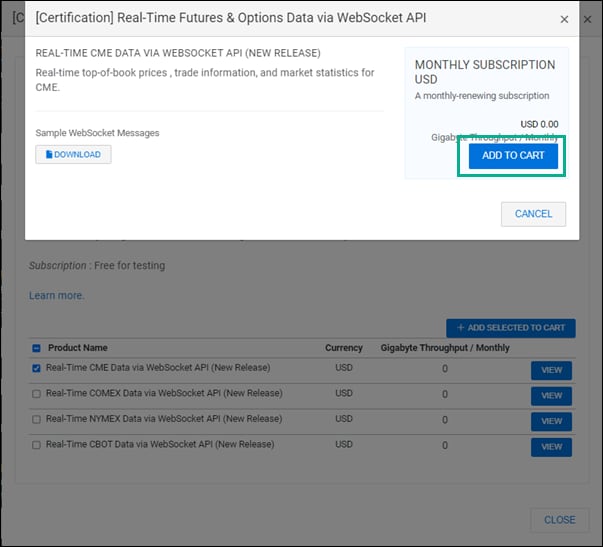
- For a Real-Time Futures & Options Data via Websocket API subscription, select a product and click ADD SELECTED TO CART.
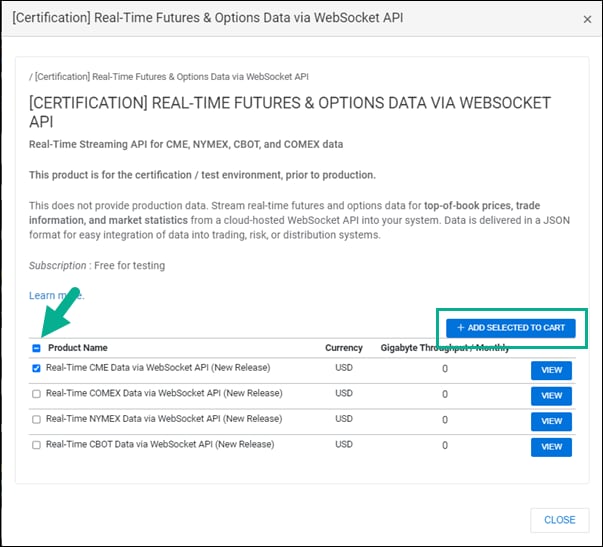
- For a Real-Time Futures & Options Data via Websocket API subscription, review the subscription and select ADD TO CART. You can also download sample Websocket messages in JSON format from the pop-up menu.
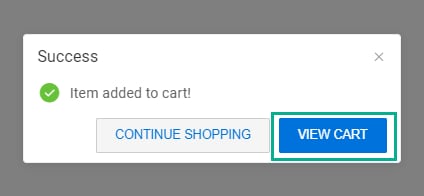
- Select View Cart in the pop-up dialog box.
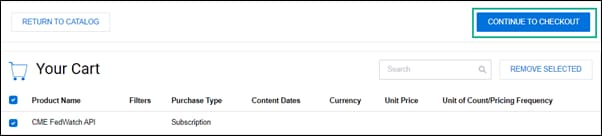
- Select the product and select CONTINUE TO CHECKOUT.
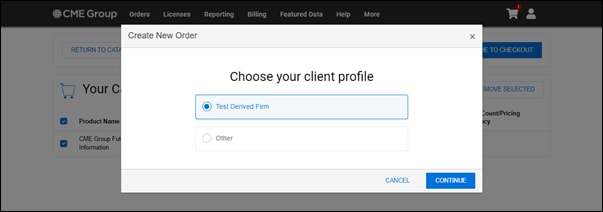
- Select your client profile or create a new one in the pop-up dialog box and select Continue.
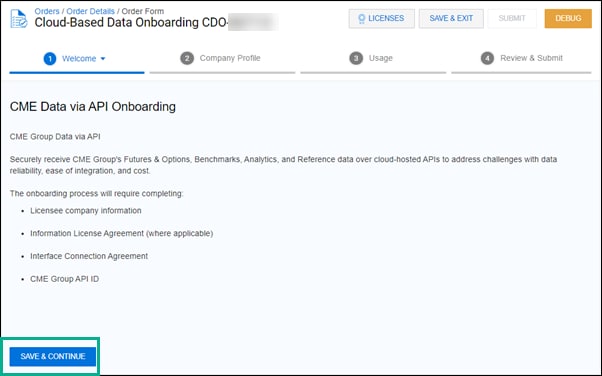
The Onboarding order form is displayed. Orders are submitted and tracked using the Orders module (Orders / Order Details/ Order Form). Before the order is reviewed and completed, you must complete the onboarding workflow.