User Help System
Login and Logout
After receiving permission to access CME Group Data Services Portal, login to the system.
- Run and navigate CME Group Data Services Portal
- Use your internet browser to view the https://dataservices.cmegroup.com and select Login from the top Menu Bar.
- Enter your CME Group Login credentials and select Login.
The CME Market Data Services Portal landing page appears: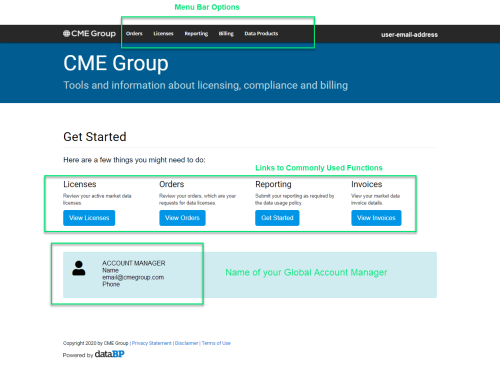
Note: The system automatically saves your work and logs out after 15 minutes of inactivity. To continue, simply enter your CME Group Login credentials and select Login.
- Logout of CME Group Data Services Portal:
- Select <Your email address> at the top-right of the window.
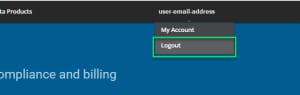
- Select Logout.


