User Help System
Licensing
The Licensing module displays the customer's market data licenses and facilitates the request for updates or new licenses.
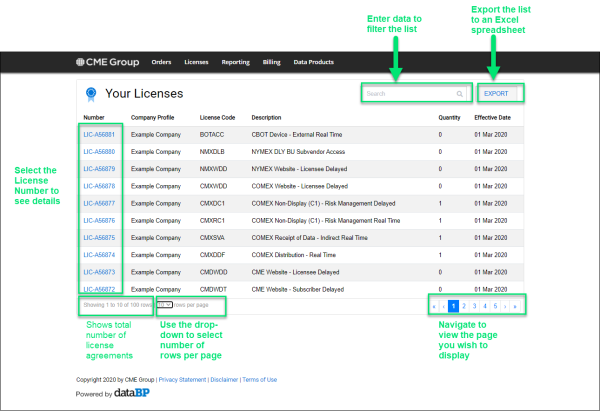
Select Licenses from the Menu Bar or View Licenses from the Landing page.
Quantity column: indicates what was reported the prior month.
Effective Date column: the date when license started.
Note: Changes to licenses or requests for new licenses are first discussed with your CME Account Manager; they will then activate a change request or new license request via this Licensing module.
- Filter the License List
You can filter the list of licenses by entering data in the filter field that is part of any column--license number, company profile, license code, description, quantity, and effective date: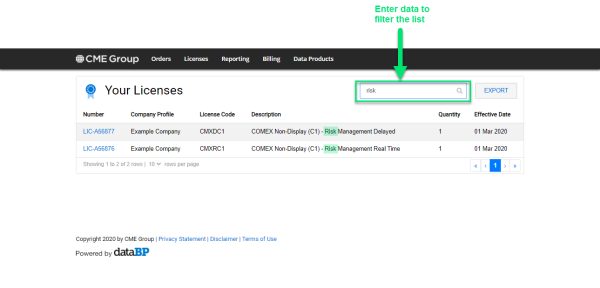
- View Details and Edit Billing Account on the License
- Select the license Number from the list.
The system displays the license details: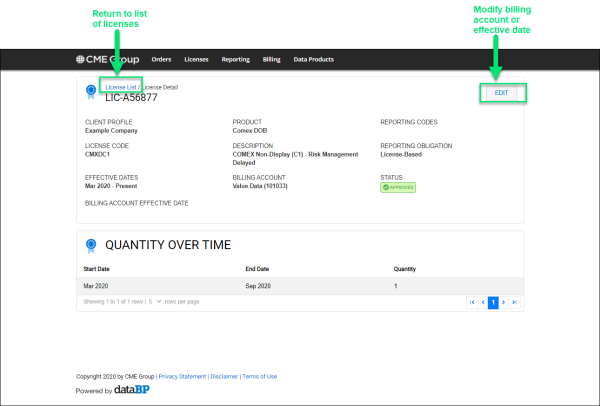
Note: Customers may split licenses into multiple billing accounts; however, one should be the default. - Select Edit if you wish to change the default Billing Account or Effective Date and select SAVE:
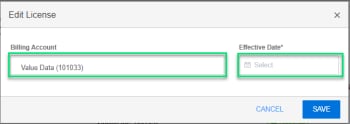
- Select License List to return to the previous page.
Note: If you do not select a Billing Account, then the default Billing Account is used. Any change is reviewed by your CME Account Manager; the status of CHANGE REQUEST PENDING appears until approved.
- Download to Excel Spreadsheet
- Filter the list as needed.
- Select EXPORT.
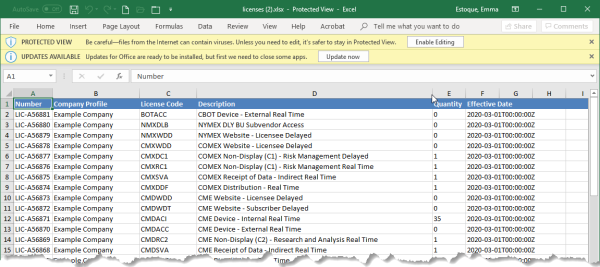
- Select the downloaded spreadsheet to view: