User Help System
Modify Order Details
Select a single order in the Order Book to display details of that order. This will also display views of market depth for the contract as well as your individual fills.
Held and Working orders can be modified and resubmitted to the market.
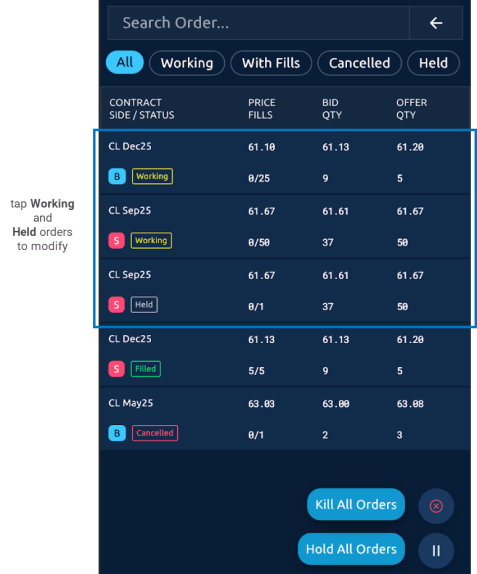
- To use the order details window:
- Tap a row in the Order Book. The Order Book details display the following:
|
|
|
|
|
|
|
|
|
|
|
|
|
|
|
|
|
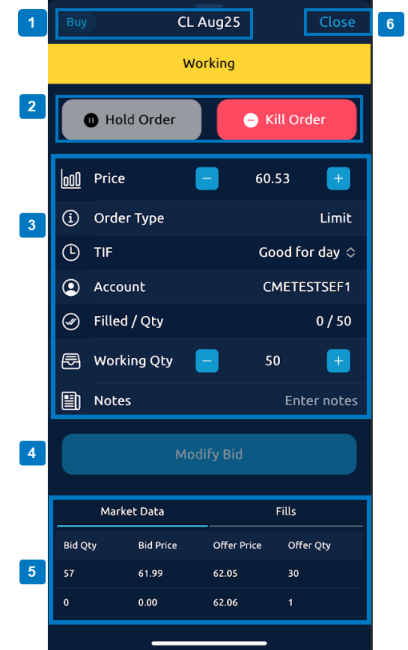
 Contract details.
 Select Hold Order (for Working orders), Activate Order (for Held orders) or Kill Order to cancel this specific working order.
 Modifiable order parameters (see
  Resubmit the order with modifications.
 Market Data and Fills
 Close order without saving changes.


