User Help System
Contract Search
From the Market view, users can access options to search and add futures contracts to which they are permissioned, re-order how contract tabs display, and enable a live view of prices.
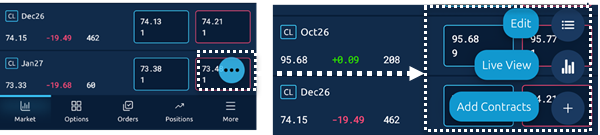
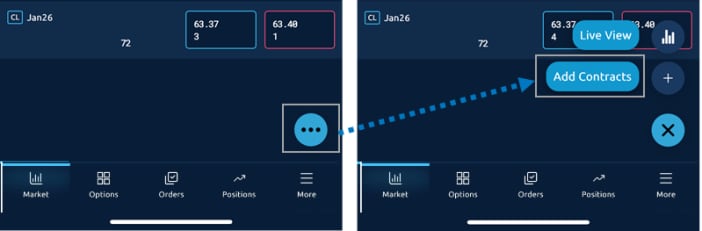
- To search for a contract:
- Tap the
 button within the Market view. Then tap Add Contracts.
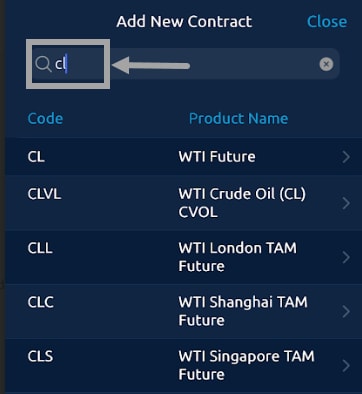
- Enter a product code or name in the search field, to filter the list.
- Tap a product from the list to display a Select Contract window.
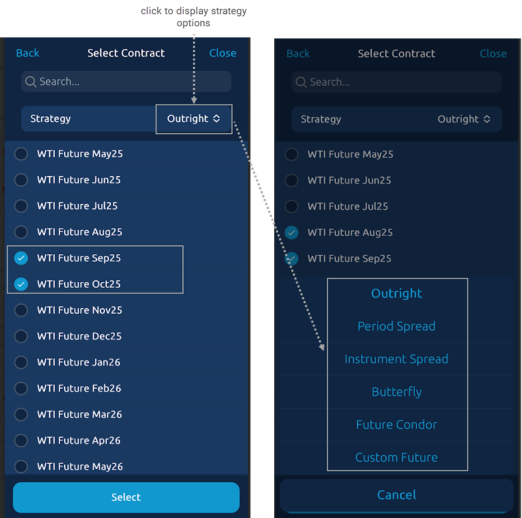
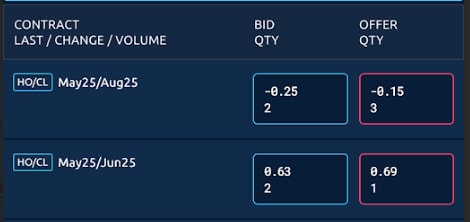
- Tap a strategy from the list window appears and select contract(s). The Contract is added to the Market view.
Note: Contracts will be added to the group currently open in Market view. To organize groups go to the Futures or Strategies grid view of CME Direct client.