User Help System
Users
The Users page is used to add users that can be used for certification testing.
Note: User forms can be submitted once the company details request has a status of Submitted.
- To add a user:
- From the Administration menu, select Users.
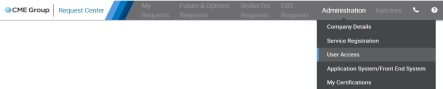
- Select a company in the "Company" drop-down.
- Select Add User.
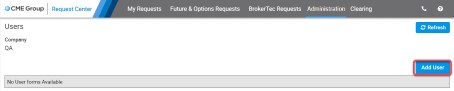
The CME Group Login Lookup dialog displays.
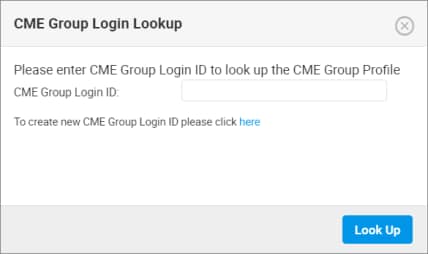
- Enter a registered CME Group Login and proceed to the next step.
OR
Select the link to create a new CME Group Login. Then return to the beginning of this procedure.
- Select Look Up.
The User Form dialog displays with pre-filled information for the following fields:
- Testing User Full Name
- CME Group Login ID - Self-managed, centralized user profile service for authenticating access to CME Group content and tools.
- Email Address
- Phone Number
- City
- Country
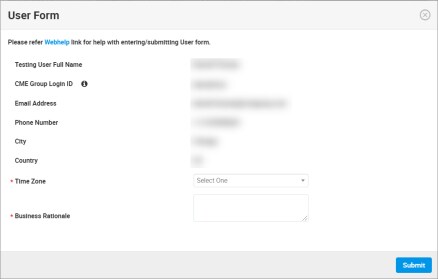
- Select a Time Zone (e.g. "GMT -6") and enter a Business Rationale.
- Select Submit.
- A notification displays.

After user requests are submitted, a review is conducted for required data.
- Select Refresh
 .
.
The added user displays in the list.
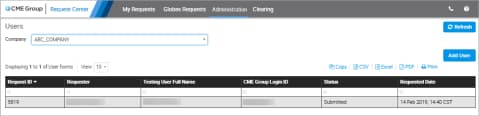
After user requests are submitted, a review is conducted for required data.
- Select a user in the list to view details.

Following the review, an email with the status of the request (Approved, Denied) is sent.


