User Help System
Saving an Excel File
You can save your data as an .xls file using Excel's standard Save functionality.
After closing a saved file, the Excel indicator at the bottom of the Trading Grid changes from green to yellow, indicating you have no Active Connections, but Excel is still enabled. Re-open a saved file and the indicator changes back to green and your connection is re-established automatically.
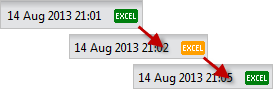
Note: An orange Excel indicator appears when there are no Active Connections and Excel is disabled.


