User Help System
Locating the Add-In in Excel
Use Excel's Options to ensure the Excel Add-in installed properly.
- To use Excel to locate the Add-in:
- From the Excel toolbar, under the File tab, click Options.
The Excel Options window appears.
- Click Add-Ins.
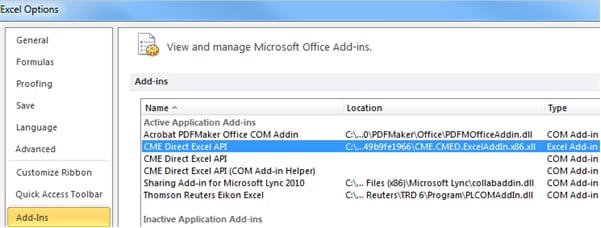
- From the Add-ins list, highlight CME Direct Excel API, and click Go.
An Add-Ins window appears.
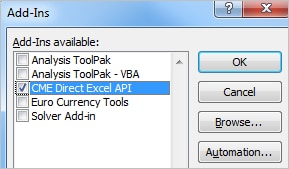
- Ensure CME Direct Excel API is selected, and click OK.
Note: The Excel Add-ins list tells Excel where to find the CME Direct Add-in.


