User Help System
Creating SFTP ID
The following procedures illustrate the process to create a SFTP ID for an entity, account type and account. This function appears for users authorized by the firm's back office admin manager to create and manage SFTP IDs.
- From the My SFTP IDs screen, select Create SFTP ID.
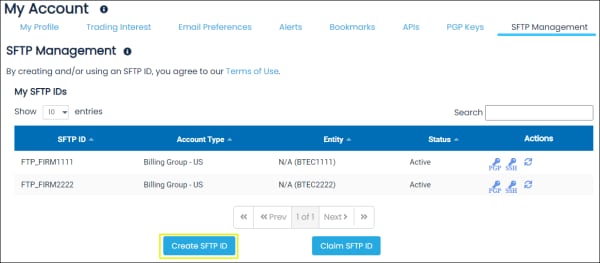
- On the screen that appears, specify SFTP ID Details.
- Account Details
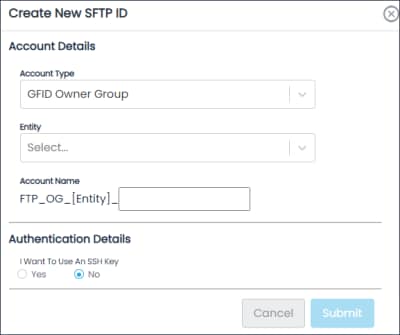
- Account Type: Select Clearing, Regulatory, Trade Repository, Billing Group, Owner Group, etc
- Entity
- Account Name: Up to 50 alphanumeric (A to Z, and 0 to 9) characters and unique at the entity
- Authentication Details: Yes (specify SSH public key) or No (specify PGP public key)
See also: PGP Key Management for Emailed Reports


