User Help System
Claiming SFTP ID
Use the Claim SFTP ID function when the user that manages a SFTP ID is no longer with a firm but data is sent / received via the ID.
Prior to claiming a SFTP ID, ensure the claiming user is associated with same entity as the previous ID as the Admin Manager or other authorized user.
Note: To assign permissions to claim a SFTP ID, view Manage User Permissions.
- To Claim a SFTP ID:
- From the My SFTP IDs screen, select Claim SFTP ID.
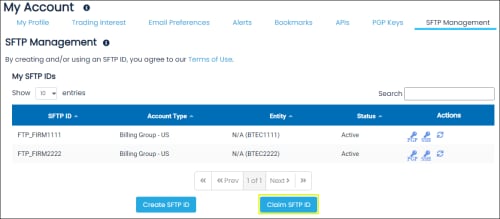
- On the screen that appears enter the SFTP ID to claim and associated Password, then select Submit.
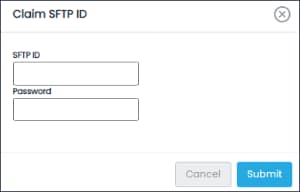
A confirmation dialog appears, indicating success or failure.


