User Help System
Reviewing GFID Requests
The following instructions illustrate the process for authorized clearing firm Admin Managers to review GFID requests submitted by executing firm users.
- To review Globex Firm ID requests:
- From the Request Center (ESS) menu, select My Requests (ESS)

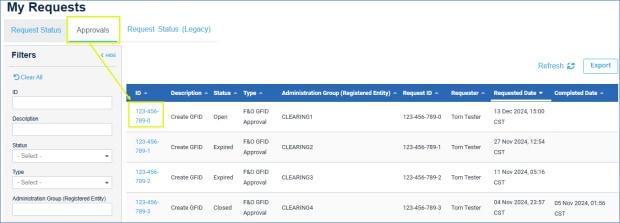
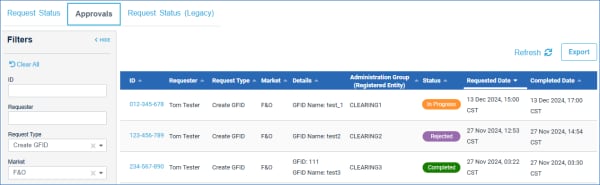 , select the Approvals tab, then select a linked request that is pending a decision (Status: In Progress).
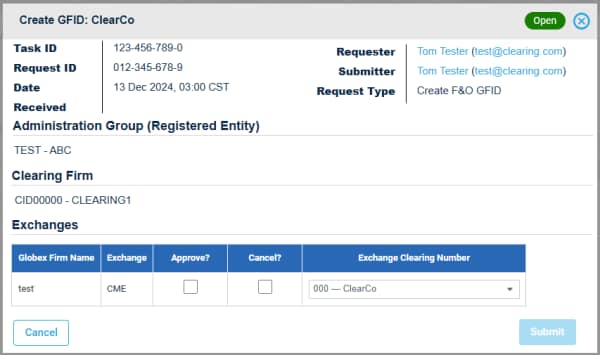
- On the request details screen review GFID details, related details (e.g. confirm / update Exchange Clearing Number) then select a decision (Approve/Cancel).
Note: For position accounts (clearing firm ID is different than the executing firm ID) a second Exchange Clearing Number can be selected.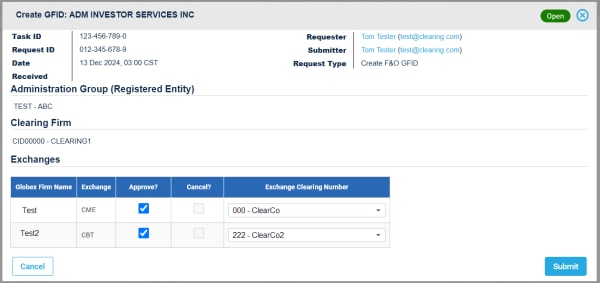
- To finalize review and GFID creation, select Submit.
A notification banner appears and email confirmation sent to the requestor and clearing firm admin manager.


