User Help System
Decline a Transaction
When a trade is Alleged, the user can decline with an optional provided reason from the Blotter ticket. The Blotter displays the opposite Principal and cash amounts are from the Alleged firm perspective.
- To decline a trade:
- On the Blotter, locate the trade to claim. Status will be "Alleged."

- Click the trade's Trade ID number. The Trade Ticket displays.

- Click the Decline button. The following message appears:
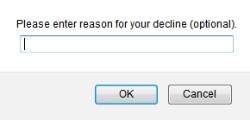
- Do one of the following:
- Enter reason and click OK.
- If no decline reason is provided, leave field blank and click OK.
CME ClearPort sends an e-mail to the counterparty and the Trade Blotter status changes to Declined. The decline reason is not visible on the blotter. To view decline reason, select the Trade Ticket ID.


