User Help System
Manage Orders
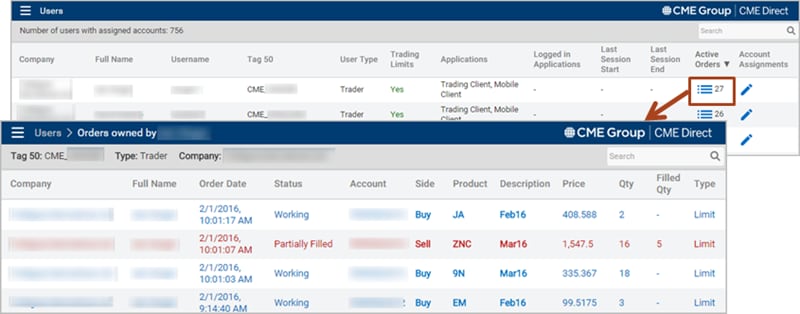
The Orders Owned window allows Clearing Members to view a user's working and partially filled orders for accounts owned by the clearer.
- To view active orders:
- From the Users window, navigate to a user with active orders.
- In the Active Orders column, click the View Order icon
 , and the Orders Owned window appears.
Note: The number of active (live) orders owned by the applicable user displays next to the View Order icon  (e.g. 27).