User Help System
Using the Main Menu
Use the Menu to open the Users window, find a user, log out, and access Clearing Member View help content.
- To access the main Menu:
From the main window, click the menu icon.
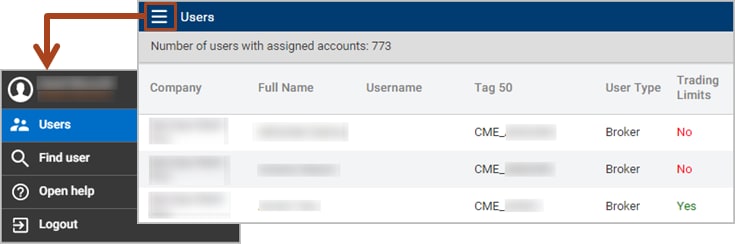
Click any Menu item:
- Users - Displays a list of users with an assigned company account.
- Mobile Permissions - Limits or prevents specific user accounts from viewing and managing orders.
- Find User - Searches for users via the User or Company Name you enter.
- Open Help - Opens the Clearing Member View Help system.
- Logout - Exits the Clearing Member View.


