User Help System
BrokerTec Risk Management Functions
Select functions from the BrokerTec Risk Management menu.

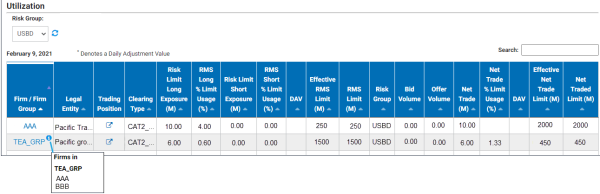
a. Dashboard
A daily summary of Firm and Firm Group risk exposure and risk limit utilization.
b. BrokerTec Risk Limits
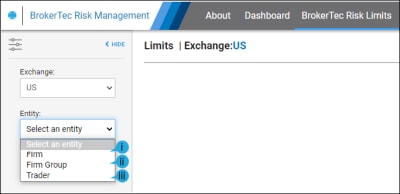
Firm Admin users can view and manage their firm, firm group and trader risk settings.
Accessible from Firm (i)/ Firm Group (ii) functions.
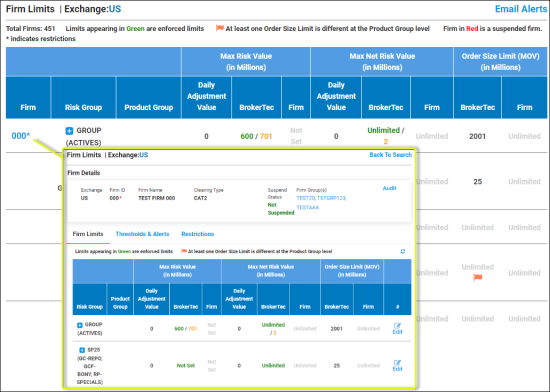
i. Firm Risk Settings
- Max Risk Value: Potential Exposure
- Max Net Risk Value: Net Traded Limit
- Order Size Limit: Maximum Order Value / Clip Size
- Daily Adjustment: Adjustments to risk limits for the current trading session
- Thresholds & Alerts: Receive an email when trading activity exceeds a user specified percentage of risk limits.
- Product Restrictions: Restrict products by firm
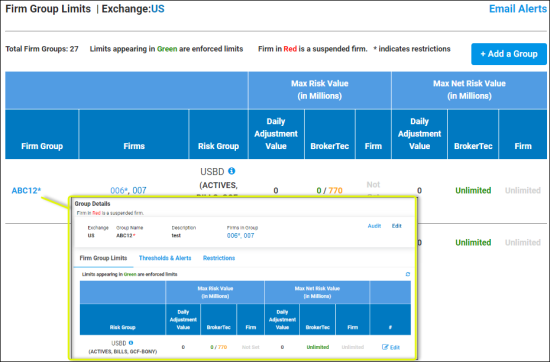
ii. Firm Group Risk Settings
For details, see Firm: Risk Settings
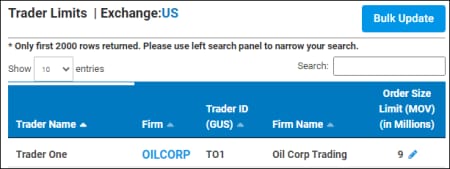
iii. Trader Risk Settings
Set and modify trader Order Size Limits. [screen]
c. Alerts & Rejects
View a list of breach alerts and rejected orders; identified by Reference Number, Date. [screen]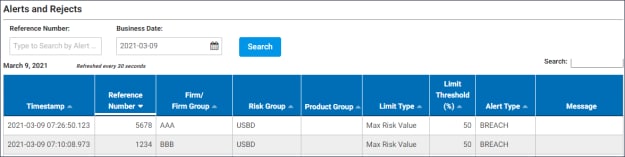
d. DV01
Hedge Ratio and Credit Utilization calculations by instrument. [screen]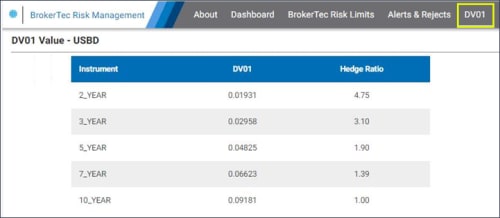
e. Audit
All entries and updates to BrokerTec Risk Management risk settings are recorded in an audit trail. [screen]


