User Help System
End of Day Session High/Low
The purpose of this test is to verify that your application can properly process End of Day Session High/Low prices received in a Market Data Incremental Refresh (tag 35-MsgType=X) message.
- To run the End of Day Session High/Low test
- Select End of Day Session High/Low on the Test Suite tab.
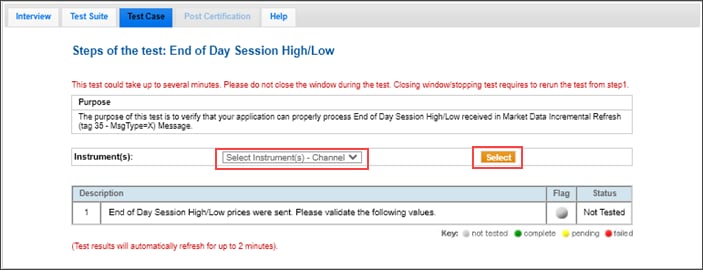
- On the Test Case tab, use the Instrument(s) drop down menu to choose an instrument and SELECT.
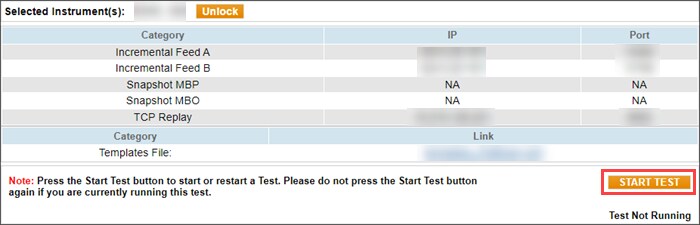
- Select START TEST.
- Enter the following values for the End of Day Session High/Low prices that were sent and select Submit.

- High Price (tag 332-HighPx)
- Low Price (tag 333-LowPx)


