User Help System
/*]]>*/
Incremental Market Data Refresh Messages
This test verifies that the application properly receives and processes incremental Market Data Refresh Block Trade Messages.
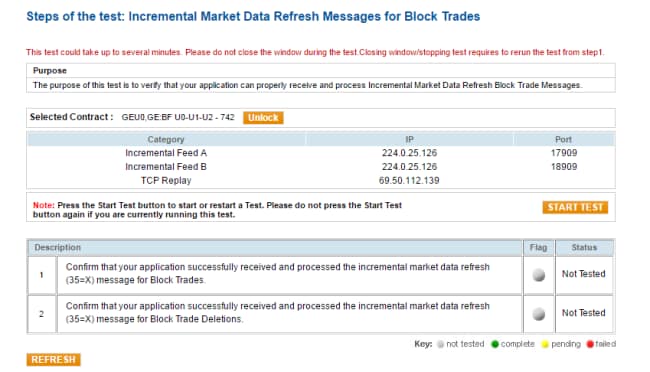
- To test the Incremental Market Data Refresh Message:
- From the Contracts drop-down, select the desired contract, if the contract is not already locked.
- Click START TEST to begin.
Note: DO NOT select the "START TEST" button once the test is in progress.
- Enter the following tag values from the Incremental Market Data Refresh Message for Block Trades that your application received.
- MDUpdateAction
- SecurityGroup
- TradeType
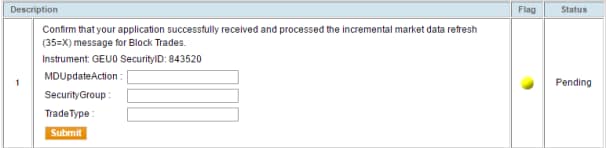
Click Submit.
- Enter the following tag values from the Incremental Market Data Refresh Message for Block Trade Deletions that your application received:
- MDUpdateAction
- SecurityGroup
- TradeType

Click Submit.


