User Help System
Market State Message
This test verifies that your application can properly receive and process market state information sent in Market Data Security Status (tag 35-MsgType=f) messages throughout a trading session.
This test is available for CME SBE UDP Multicast and CME Smart Stream on GCP SBE connection types; from the Interview.
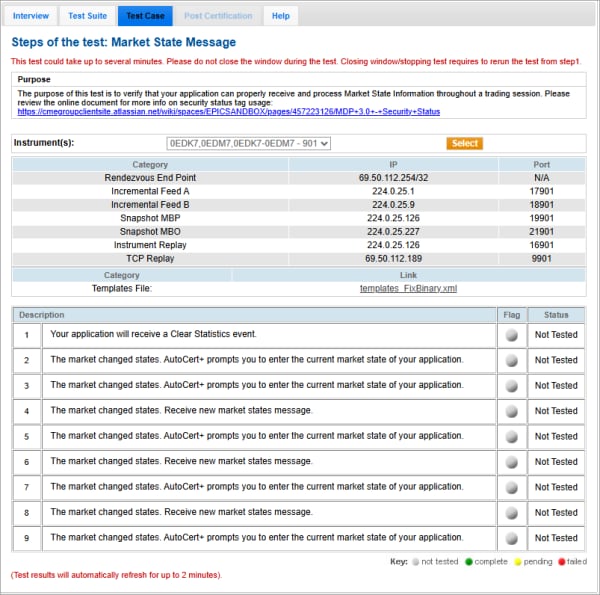
- To run the Market State Message test:
- From the Contract drop-down, select the desired contract if the contract is not already locked.
- Click START TEST.
- Receive a Clear Statistics event (35=f, tag 1174-SecurityTradingEvent=4) message.
- For the remaining steps of the test:
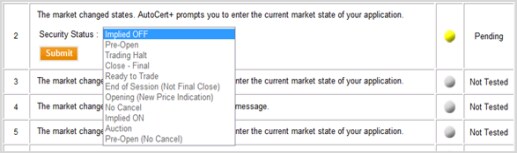
Select the current market state from the SecurityTradingStatus drop-down and click Submit:
- Implied OFF
- Pre-Open
- Trading Halt
- Close - Final
- Ready to Trade
- End of Session (Not Final Close)
- Opening (New Price Indication)
- No Cancel
- Implied ON
- Auction
- Pre-Open (No Cancel)
OR
Receive a new Market State (35=f) message.


