User Help System
Cross Order Cancel for Pre-Registered Format
The purpose of this test is to verify that the client system can cancel a Cross order side after the RFC process has completed and the instrument state has returned to Resume Trading (i.e., unmatched RFC quantity remains as a resting order on one side of the book).
This test case is mandatory if customer selected Yes in interview question Will your system support Cross Order functionality?
- To run the test
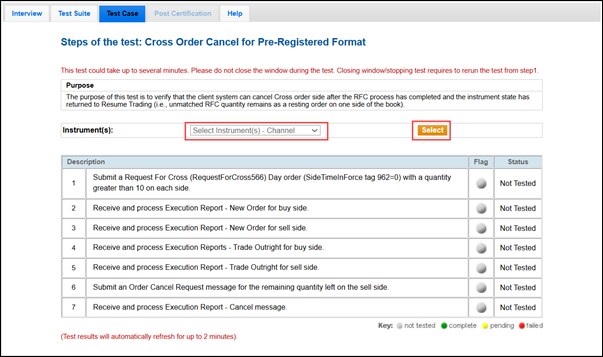
- On the Test Case tab, use the Instrument(s) drop down menu to choose an instrument and channel and click SELECT.
- Select START TEST.
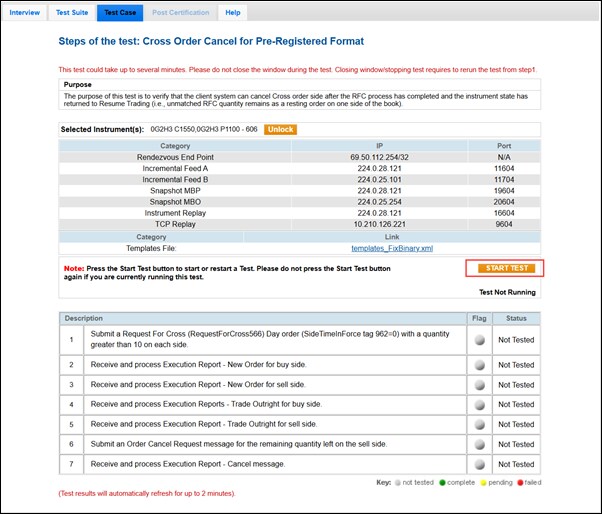
Note: Do not select START TEST while a test is running unless instructed to do so. Restarting a test deletes the current test results.
- Submit a Request For Cross (RequestForCross566) Day order (SideTimeInForce Tag 962=0) with a quantity greater than 10 on each side.
- Select Yes or No to confirm that your system can receive and process an Execution Report - New Order for the buy side.
- Select Yes or No to confirm that your system can receive and process an Execution Report - New Order for the sell side.
- Select Yes or No to confirm that your system can receive and process an Execution Report - Trade Outright for the buy side.
- Select Yes or No to confirm that your system can receive and process an Execution Report - Trade Outright for the sell side.
- Submit an Order Cancel Request message for the remaining quantity on the sell side.
- Select Yes or No to confirm that your system can receive and process an Execution Report - Cancel message.


