User Help System
Send a Mass Quote Message on One or More UDS Contracts
The Purpose of this test is to verify that your application can submit a Mass Quote message on a User-Defined Spread instrument.
Pre-Registered or On-Demand Format
Note: This test is used for both Pre-Registered and On-Demand formats. The image below shows the Pre-Registered format version of the test.
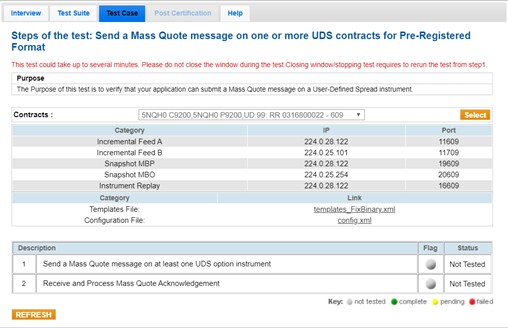
Note: If a test is not proceeding to the next step, selecting the Refresh button ( ) below the test steps may resolve the issue.
- To run a Send a Mass Quote Message on One or More UDS Contracts test
- From the Contract drop-down, select the desired contract if the contract is not already locked.
- Click the "START TEST" button.
Note: DO NOT select the "START TEST" button once the test process is in progress.
- Send a Mass Quote message on at least one UDS option instrument.
- Select Yes or No to indicate whether your system received and processed the Mass Quote Acknowledgment.


