User Help System
FX Spot Plus Statistic Messages
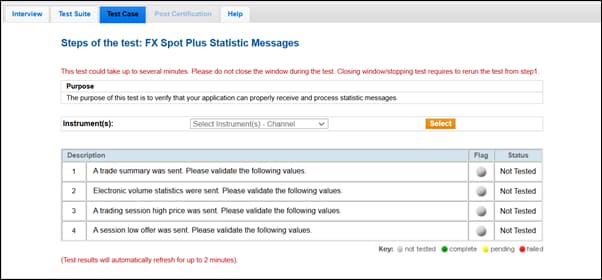
The purpose of this test is to verify that your application can properly receive and process statistic messages. This test case is mandatory.
- To run the test
- On the Test Case tab, use the Instrument(s) drop down menu to choose an instrument and channel and click SELECT.
- Select START TEST.
- A trade summary was sent. Please validate the following values based on the instrument book sent (instrument varies).
- Electronic volume statistics were sent. Please validate the following value: tag 271-MDEntrySize.
- A trading session high price was sent. Please validate the following value: tag 270-MDEntryPX.
- A session low offer was sent. Please validate the following value based on the instrument book sent (instrument varies): tag 270-MDEntryPx.