User Help System
FX Spot Plus Implied Order Book Management for Market by Order Systems
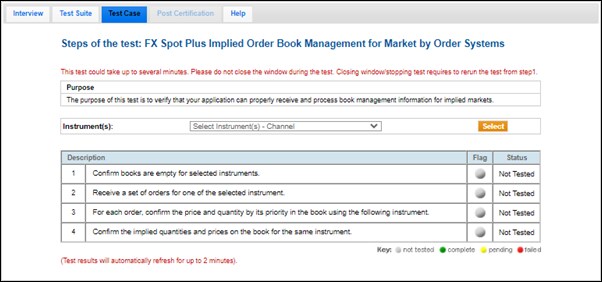
The purpose of this test is to verify that your application can properly receive and process book management information for implied markets.
This test case is mandatory if you selected Yes in the interview question Does your system support implied markets? , and selected Market by Order in the interview question Which of the following ones does your application support?.
- To run the test
- On the Test Case tab, use the Instrument(s) drop down menu to choose an instrument and channel and click SELECT.
- Select START TEST.
- Select Yes or No to confirm books are empty for the selected instruments.
- Receive a set of orders for the instrument.
- For each order, confirm the price (MDEntryPx) and quantity (MDEntrySize) by its priority in the book for the displayed instrument, which varies based on the instrument book sent.
- Confirm the implied quantities and prices on the book for the same instrument. The instrument varies based on the instrument book sent.