User Help System
FX Spot Plus GFS (Day) Limit Order Test for On-Demand Format
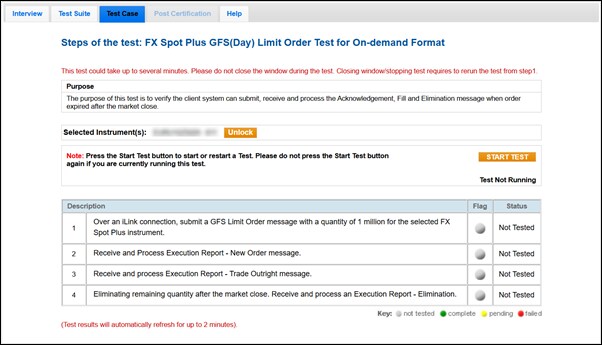
The purpose of this test is to verify the client system can submit, receive, and process Acknowledgement, Fill, and Elimination messages when an order expires after the market close.
This test case is mandatory if you selected Yes in the interview question Will your system support GFS Order?
- To run the test
- On the Test Case tab, use the Instrument(s) drop down menu to choose an instrument and channel and click SELECT.
- Select START TEST.
- Over an iLink connection, submit a GFS Limit Order message with a quantity of 1 million for the selected FX Spot Plus instrument.
- Select Yes or No to indicate whether your system received and processed the Execution Report - New Order (35=8,39=0) message.
- Select Yes or No to indicate whether your system received and processed the Execution Report - Trade Outright (35=8,39=1, 2) message.
- Select Yes or No to indicate whether your system received and processed an Execution Report - Elimination (35=8,39=C) message for eliminating the remaining quantity after the market close.